

Aftershoot Review 2026: Is It Still Worth It?
Verdict in one paragraph: Aftershoot is still one of the best all-in-one AI workflows for wedding and portrait photographers in 2026. It culls, edits and retouches locally and offline, for a flat fee with no photo caps. Its weak spots are heavy hardware requirements, wedding-first AI that is less sharp for sports, events and conferences, editing that trails Imagen in difficult light, and no explanation of why a photo was rejected. If you shoot 15+ weddings a year on a powerful computer, it's a solid buy. If you shoot other genres, use an older laptop, or mostly need fast, transparent culling, test an alternative first.
Rating: ★★★★■ (4.1/5)
| Category | Score |
|---|---|
| Culling accuracy (weddings/portraits) | 4.5 |
| Culling for sports / events / conferences | 3.5 |
| AI editing quality | 4.0 |
| Retouching | 4.0 |
| Speed (depends on hardware) | 3.5 |
| Value for money | 4.5 |
| Ease of use | 4.5 |
Last updated: September 25, 2026.
Pricing comes from Aftershoot's 2026 pricing announcement and current plan listings. Check Aftershoot's pricing page before you buy.
How we wrote this Aftershoot review
FilterPixel makes culling and editing software, so we compete with Aftershoot. We've tried to make this review useful anyway, and be absolutely fair:
- Pricing is taken from Aftershoot's own announcement and plan pages
- Feature claims are checked against Aftershoot's documentation and independent tests
- User sentiment comes from Reddit, G2 and Capterra reviews
- Our speed benchmark is labelled as a vendor test, with its method linked
- We score Aftershoot 4.1/5 and say plainly where it beats FilterPixel (offline work, retouching, all-in-one workflow)
What is Aftershoot?
Aftershoot is desktop AI software for Mac and Windows that automates the slowest parts of post-production:
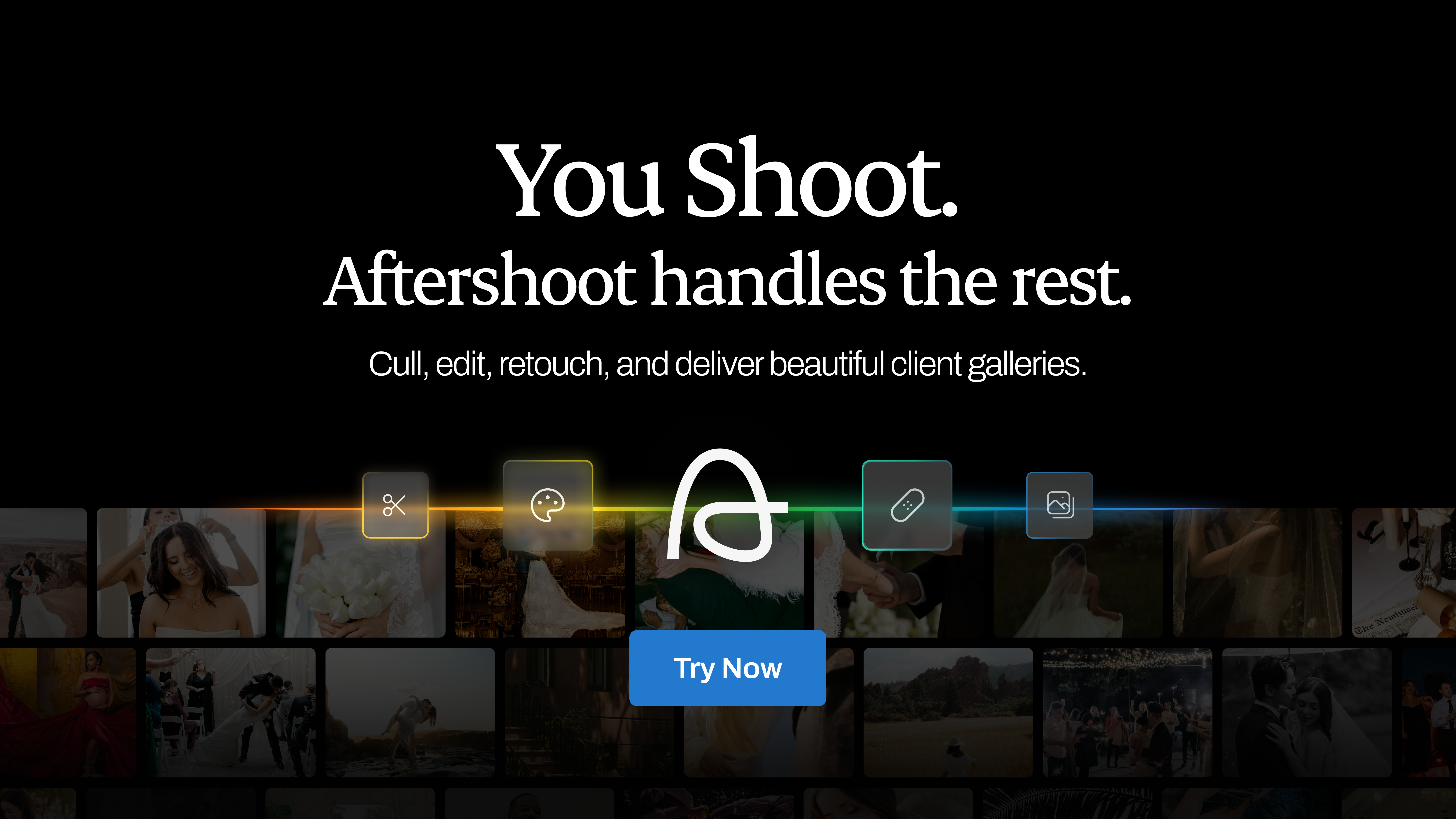
- Select: AI culling (removes duplicates, blur and closed eyes, and picks your keepers)
- Edit: AI editing that learns your personal Lightroom style
- Retouch: batch portrait retouching (skin, teeth, stray hairs, blemishes)
- Galleries: client delivery galleries, added in the 2025–26 product expansion
Its main technical difference from rivals such as Imagen is that all the AI runs on your own computer. No uploads, no internet requirement, and no per-photo fees.
The strongest alternative for Aftershoot: FilterPixel
-2.jpg?width=1920&height=960&name=BLOG%20DRAFTS%20(15)-2.jpg)
If culling is where you lose the most time, here is a compariosn that will help you map out the pros and cons of Aftershoxxxot and FilterPixel:
| Aftershoot | FilterPixel | |
|---|---|---|
| Processing | Local (your hardware) | Cloud GPUs (any laptop) |
| Genre AI | Wedding-first | Wedding, sports, concert, conference modes |
| Transparency | Keep/reject only | Score + Reason for every image |
| Genre Specific Cull | Not available | DeepCull Mode |
| Exact select count | Strictness slider | Magic Number (e.g. "give me 400") |
| 1,232-image concert test* | 18m 19s | 5m 28s |
| AI editing | Yes | Yes (Public AI editing profiles + Instant Preset Upload + Expert AI editing profiles) |
| Offline | Works offline | (needs internet) |
| Price | $10–45/mo | Free plan; from $14.99/month (pricing) |
FilterPixel's own published test. Full methodology.
Want more options? See our roundup of Aftershoot alternatives, the best AI photo culling software for 2026, or free photo culling software if you're on a budget.-Jun-15-2026-11-39-14-2486-AM.png?width=1920&height=960&name=BLOG%20DRAFTS%20(4)-Jun-15-2026-11-39-14-2486-AM.png)
Aftershoot pricing (2026)
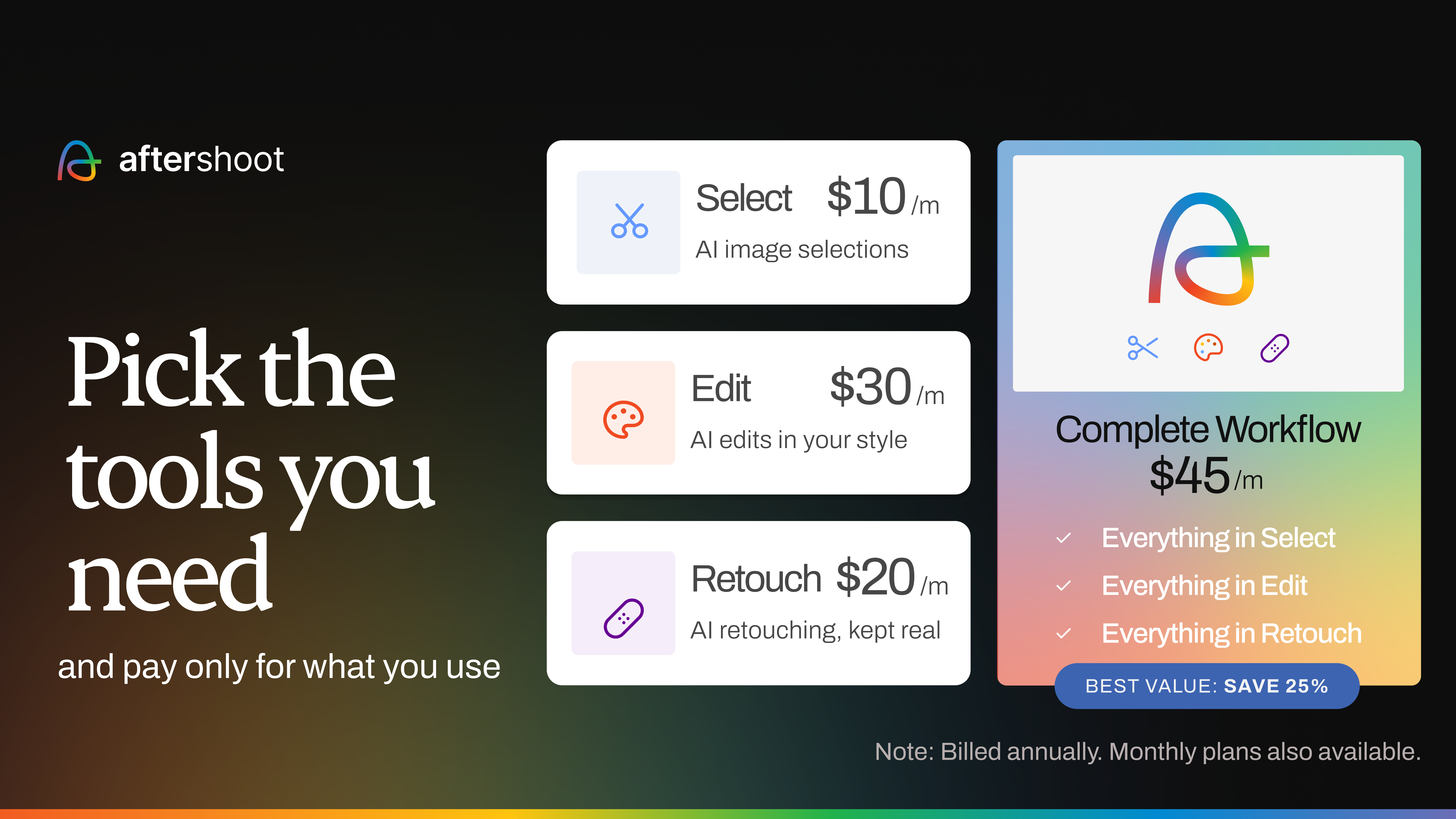
In 2026 Aftershoot replaced its old tiers (Selects / Essentials / Pro / Max) with modular plans. You pay only for the modules you use, and every plan has unlimited photos.
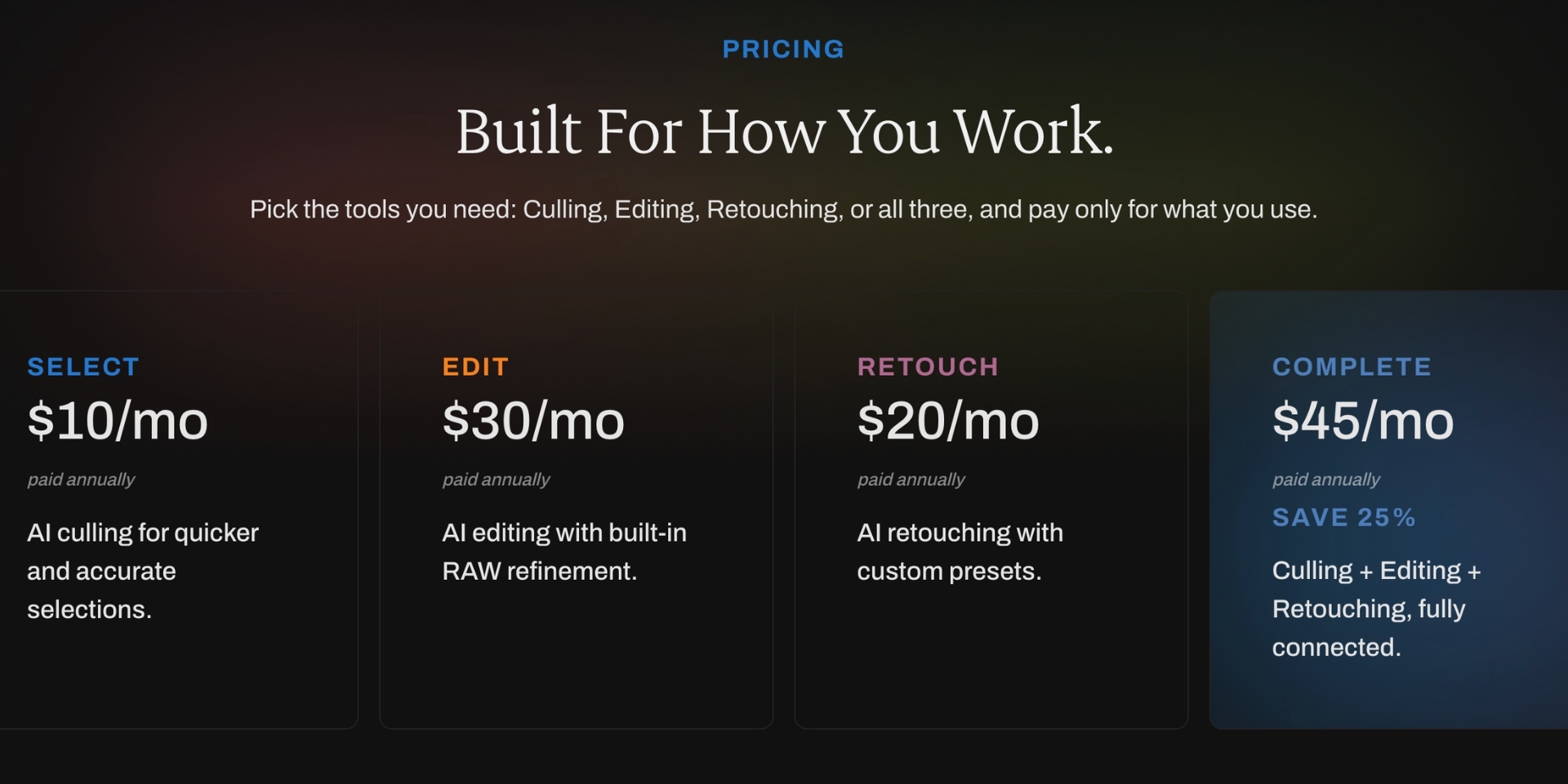
| Plan | What you get | Billed annually | Billed monthly |
|---|---|---|---|
| Select | AI culling | $10/mo ($120/yr) | ~$15/mo |
| Edit | AI editing profiles | $30/mo ($360/yr) | ~$35/mo |
| Retouch | AI batch retouching | $20/mo ($240/yr) | ~$25/mo |
| Select + Edit + Retouch | Everything (~25% bundle discount) | $45/mo ($540/yr) | ~$55/mo |
Included on every plan: unlimited images, offline processing, manual culling tools & RAW editing.
Free trial: 30 days, no credit card needed.
Legacy plans: existing annual subscribers moved to the matching new plan at their old price. Others have two years to switch.
What does Aftershoot actually cost per shoot?
| Your volume | Plan most people choose | Yearly cost | Cost per shoot |
|---|---|---|---|
| 10 weddings/yr | Select + Edit | $480 | $48 |
| 25 weddings/yr | Select + Edit | $480 | $19 |
| 40 weddings/yr | Full bundle | $540 | $13.50 |
| 100 events/yr | Select only | $120 | $1.20 |
At higher volumes the flat pricing makes Aftershoot very cheap per shoot. Compare Imagen at $0.05 per edited photo (see our Aftershoot vs Imagen cost breakdown). For Narrative, Imagen and FilterPixel prices next to Aftershoot's, see how much AI photo culling costs.
Aftershoot features, tested
1. AI culling (Select): its best module
What works:
- Duplicate stacking: groups bursts and near-duplicates and surfaces the best frame
- Technical rejects: blur, missed focus, closed eyes and heavy under- or over-exposure are caught reliably
- Key faces: tag the couple or VIPs so their images are favoured
- Adjustable strictness: pick how aggressive the cull is
- Works before Lightroom, straight from the card or a folder
What doesn't:
- No explanation. You see what was rejected but not why. On a 4,000-image wedding, checking borderline rejects is still the slowest part of the job.
- Genre limits. The AI is tuned for people-centred photography. It's less reliable at picking peak action in sports, the best speaker gesture at a conference, or sponsor visibility at events.
- Speed depends on your machine. In FilterPixel's published head-to-head, Aftershoot culled 1,232 concert RAWs in 18m 19s (~92 images/min). That's a vendor-run test, but it matches what users report on mid-range hardware.
2. AI editing (Edit)
Aftershoot builds a personal AI profile from your past Lightroom edits. It works best with about 2,000–5,000 edited images from a range of lighting. You can also start from marketplace styles.
- ■ Consistent exposure and white balance across a gallery
- ■ Handles changing light well once trained
- ■ Subject masking
- ■■ Tends to drift warm/yellow in mixed or tungsten light
- ■■ Softer masks than Imagen, and no dedicated denoise or window pull (Signature Edits comparison)
3. AI retouching (Retouch)
Batch skin smoothing, blemish removal, teeth whitening and stray-hair cleanup across whole galleries. Results look natural at default strength. It's a real time-saver for portrait, family and headshot photographers, and it replaces a separate Evoto or PortraitPro subscription for many users.
4. Integrations & workflow
- Exports to Lightroom Classic (ratings, colour labels and edits sync back)
- Mac and Windows
- Offline: the full workflow runs with no internet
- Client galleries for delivery (new, and less mature than Pixieset or Pic-Time)
Hardware requirements: the hidden cost
Because everything runs locally, your computer sets your speed. Users on older Intel MacBooks and entry-level Windows laptops regularly report:
- Culls that take several times longer than on Apple Silicon or a recent GPU
- A computer that's hard to use while Aftershoot is processing
- Fans running at full speed for the whole cull
If you're on a 4–5-year-old laptop, budget for an upgrade or look at cloud-based culling instead, which moves the processing onto remote GPUs (cloud vs local culling explained).
Aftershoot pros and cons
| Pros | Cons |
|---|---|
| Culling, editing and retouching in one app | Demanding on hardware; slow on older machines |
| Flat pricing with no photo caps | No reasoning shown for AI rejections |
| Fully offline, so RAWs never leave your machine | Wedding-first AI; weaker for sports, concerts, conferences |
| Excellent duplicate stacking | Editing trails Imagen in tricky light |
| Modular plans: pay only for what you use | No denoise or advanced masks |
| 30-day free trial, no card | Galleries are new and basic |
What real users say
Across Reddit's r/WeddingPhotography, G2 and Capterra, the pattern is consistent:
- Praised: time saved on culling ("hours down to minutes"), value for money, offline reliability, support responsiveness
- Criticised: speed on older hardware, warm colour drift in edits, occasional misses on emotional moments, needing to re-check rejects
Who should buy Aftershoot
- Wedding, elopement and portrait photographers shooting 15+ sessions a year
- People who want one app to cull, edit and retouch
- Photographers who work offline or want client files kept on their own machine
- Anyone on Apple Silicon or a Windows PC with a recent GPU
Who should look elsewhere
- Sports, event, concert and conference photographers. Genre-specific AI will pick better keepers.
- Older-laptop users. Cloud culling will be faster without new hardware.
- Photographers who want to see why the AI made each pick
- Editors who care most about edit quality in difficult light. Imagen is still ahead there.
Final verdict: is Aftershoot worth it in 2026?
Maybe, but too many variables, it is. good choice only if you're a wedding or portrait photographer with a capable computer and 15+ shoots a year. The $40–45/mo bundle pays for itself after one wedding's worth of saved editing time.
Absolutely not, if you shoot sports, events or conferences, use older hardware, or want to understand the AI's decisions. In those cases, run your next shoot through FilterPixel (free, no credit card, and DeepCull is included in the trial) alongside the Aftershoot trial, and compare the selects side by side.
FAQ
How much does Aftershoot cost in 2026?
Aftershoot Select (culling) is $10/month billed annually. Edit is $30/month, Retouch is $20/month, and the full Select + Edit + Retouch bundle is $45/month billed annually (about $55 billed monthly). Every plan includes unlimited photos.
Does Aftershoot have a free trial?
Yes. There's a 30-day free trial with no credit card required.
Is Aftershoot a one-time purchase?
No. Aftershoot is subscription-only, billed monthly or annually.
Does Aftershoot work offline?
Yes. All culling, editing and retouching runs locally on your computer.
Is Aftershoot good for sports or event photography?
It works, but its AI is tuned for people-centred genres such as weddings and portraits. Genre-specific tools such as FilterPixel have dedicated sports, concert and conference modes.
Is Aftershoot better than Imagen?
Aftershoot is better for culling, offline use and flat pricing. Imagen is better for edit quality. See the full Aftershoot vs Imagen comparison.
Does Aftershoot work with Lightroom?
Yes. Culling results and AI edits sync to Lightroom Classic.