.png)


You ran Aftershoot at last Saturday's event. The AI processed your 3,500 photos. You opened the selections, scrolled through them, and then went over to the For Review tab, only to find out that some of the best photos landed here, so now you need to re-review the entire gallery, because the AI picked sharp frames, not the right frames. Again.
Quick Answer
What is the best Aftershoot alternative?
FilterPixel is the top Aftershoot alternative in 2026, offering DeepCull memory-based AI culling, genre-specific models (wedding, sports, events), integrated AI editing with Style DNA, and same-day delivery workflows. Free tier available.
- DeepCull learns your culling preferences
- Genre-specific AI (wedding, sports, events)
- Built-in AI editing with Style DNA
- Same-day event photo delivery
- Free tier for DeepCull
Because Aftershoot picked the sharpest frames, not the right frames. The technically perfect image of the drummer mid blink instead of the slightly softer frame where the crowd erupted. The speaker in sharp focus at the podium but not the moment they stepped forward and pointed at the audience. The bride and groom were standing still instead of the slightly noisier frame where the grandmother started crying.
-1.png?width=757&height=464&name=BLOG%20DRAFTS%20(4)-1.png)
That re review costs you 30–60 minutes you don't have. Not when halftime is 15 minutes. Not when the sponsor needs the gallery by 9am. Not when the slideshow has to be ready by cocktail hour. If this describes your workflow, if you're using Aftershoot but still re reviewing everything because the AI misses the moments that matter, you're not alone and you're probably searching for an Aftershoot alternative that actually understands your genre.
This article explains why many photographers looking for an Aftershoot alternative are switching to FilterPixel's DeepCull, what's genuinely different, and who should switch.
.png?width=4695&height=2880&name=BLOG%20DRAFTS%20(10).png)
Aftershoot Was Built For A Different Photographer
Aftershoot is a good tool. It's well built, affordable, and has earned its reputation in the wedding and portrait photography community. This isn't a hit piece it's a comparison built on real testing of where Aftershoot excels and where its design choices fail deadline photographers specifically.
Aftershoot's brand is built on "reclaim your time" and "work life balance." That resonates deeply with wedding and portrait photographers who cull on Tuesday evenings, batch edit on Wednesday, and deliver next week. For that workflow, Aftershoot is genuinely excellent.
But if your workflow is measured in minutes, filing from the press box at halftime, delivering the gallery before the encore, having the slideshow running by cocktail hour, "reclaim your time" misses the point entirely. You're not trying to reclaim time. You're trying to deliver before the moment expires.
This isn't a subtle distinction. It shapes every product decision: what the AI optimizes for, how transparency works, where processing happens, and which photographers the tool actually serves.
Where Aftershoot Falls Short & Have You to Looking for Aftershoot Alternative
Genre Blind AI Misses Storytelling Moments
Aftershoot applies a general aesthetic scoring model across all shoot types. While it offers genre selection (portrait, wedding, events) through a dropdown in its Set Preferences dialog, the underlying AI is trained predominantly on wedding and portrait quality signals: sharpness, exposure, composition, facial expression in controlled lighting.
.png?width=4695&height=2880&name=BLOG%20DRAFTS%20(3).png)
Within that preferences dialog, Aftershoot gives you two culling modes. The first is Automated AI Cull, where you move a slider between Extreme, Few, Standard, and More to control how many photos the AI selects for you. The second is Customized AI Cull, which lets you toggle individual detection features like Highlight Photos, Duplicate Photos grouping with adjustable group size, Blurry Photos Detection with a sensitivity slider from Lenient to Strict, and Closed Eyes Detection. These are useful controls, but they're all technical quality filters. None of them understand what's actually happening in the frame.
When this model encounters sports action, concert stage lighting, or conference keynotes, it defaults to technical quality scoring. The result: Aftershoot picks the sharpest images but misses storytelling moments.
A festival photographer we interviewed described this precisely.
After using Aftershoot on high volume events, he reported scrapping the entire selection and starting from scratch, because the AI selected technically sharp images but missed the emotional and narrative frames that define a great event photo. He described it as missing "that storytelling piece."
This isn't a bug. It's a consequence of training a general model and applying it universally. Sports photography values peak action, the apex of a jump, the moment of contact, the decisive split second. What's interesting is that concert photography values performance energy, the singer leaning into the crowd, the guitarist mid solo with smoke and led light creating atmosphere. Conference photography values keynote moments, the CEO's emphatic gesture, the audience reacting, the sponsor logo visible alongside the speaker.
A general sharpness AI can't distinguish these from any other frame. A genre specific model can. FilterPixel's DeepCull applies distinct AI models trained on the quality signals specific to each genre: sports action detection, concert stage lighting assessment, conference dynamics recognition, and deadline wedding emotional peak scoring. When you import photos into FilterPixel, you select your shoot type from a genre dropdown that includes Corporate Events, Sports, Concerts, and more. The AI then loads the model trained specifically for that genre. So when you tell it you're shooting a concert, it's not applying a general sharpness filter. It's running a model trained on millions of concert photos that knows what a great live performance image actually looks like. The AI doesn't just know if a photo is sharp, it knows if a photo is the moment.
.png?width=4695&height=2880&name=BLOG%20DRAFTS%20(11).png)
.png?width=4695&height=2880&name=BLOG%20DRAFTS%20(12).png)
1.1. Is Aftershoot Good for Sports Photography?
Aftershoot's general model struggles with sports because peak action and technical sharpness are different signals. A player at the apex of a jump shot might have slight motion on the trailing arm — Aftershoot downgrades it. The frame one second later where the player is standing still scores higher on sharpness but misses the decisive moment entirely.
Sports photography has a specific quality hierarchy: peak action first, then composition, then technical sharpness. Aftershoot's model inverts this — sharpness first, everything else second. If you're shooting sideline at 12fps and generating 4,000 frames per game, this inversion means the AI's selects miss the exact frames your editor wants.
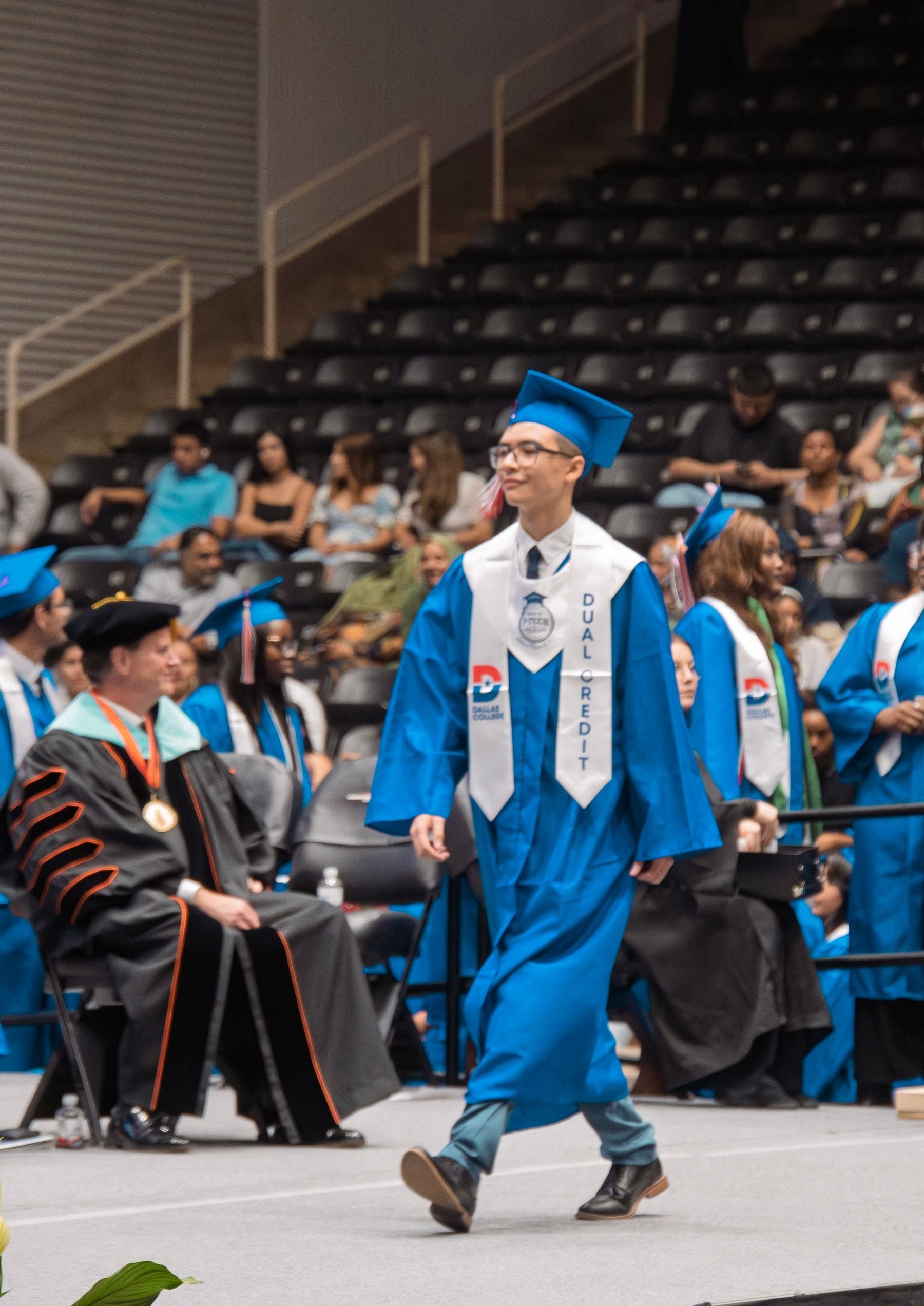
 DeepCull's sports mode is trained on this hierarchy. Peak action detection, fast-moving subject quality, decisive moment timing. The AI knows a slightly soft frame at the peak of contact is worth more than a tack-sharp frame of the player walking back to position.
1.2. Does Aftershoot Work for Concert Photography?
Concert photography breaks Aftershoot's model in a different way. Stage lighting LEDs, spotlights, smoke haze, color washes produces images that a general AI model reads as underexposed, color-shifted, or low-contrast. These aren't flaws. They're the aesthetic.
Aftershoot's culling frequently downgrades the most atmospheric concert frames because the AI interprets stage lighting conditions as technical problems. The result: your selects are full of cleanly-lit soundcheck photos and backstage shots while the performance peaks sit in the For Review tab waiting for you to rescue them.
DeepCull's concert mode is trained to assess stage lighting as an intended condition, not a defect. LED color temperature, smoke diffusion, spotlight contrast, the AI scores performance energy and crowd moments, not exposure compliance. Our test with 1,232 concert photos showed DeepCull consistently selecting the high-energy performance frames that Aftershoot's For Review tab had flagged as uncertain.
2. Binary Keep/Reject Offers No Explanation
Aftershoot delivers a culling result as a binary decision: keep or reject. After culling completes, you see your images sorted into categories in the Cull Filters panel on the right side. AI Selections shows your Selected photos (marked with 5 stars) and Highlights (marked with 4 stars). Duplicates get grouped together, and Unrated images sit separately. You can also assign color labels and star ratings manually through a right click context menu with options to Change Stars, Change Colors, Flag the image, or Report AI issues.
The review interface itself is well designed. Aftershoot has a solid single image review mode with a Key Faces panel on the right that detects and displays cropped face thumbnails, which is genuinely helpful for quickly checking expressions. There's also a filmstrip at the bottom with color coded bars (green for selected, red for rejected) so you can scan the overall culling distribution at a glance. The Duplicates panel groups similar images together with a count badge showing how many are in each set. It's a clean, professional interface..png?width=4695&height=2880&name=BLOG%20DRAFTS%20(7).png) But there's no explanation for why a photo was selected or passed over. You see stars and colors, but not the reasoning. For general workflow photographers who have days to review, this is acceptable. They can take their time validating each selection at their own pace.
But there's no explanation for why a photo was selected or passed over. You see stars and colors, but not the reasoning. For general workflow photographers who have days to review, this is acceptable. They can take their time validating each selection at their own pace.
For deadline photographers, opacity is a risk. When you have 15 minutes at halftime, you can't afford to second guess 80 AI selections one by one. You need to know why each frame was chosen so you can trust the AI's judgment without spending your deadline window on verification.
DeepCull delivers a score and explicit reason for every photo in your shoot. In Survey Mode, every image displays an AI Analysis score out of 10 right on the thumbnail, so you can see at a glance which frames the AI rated highest. An 8.6 sits next to a 7.8 sits next to an 8.0, and you can immediately see why the AI ranked one above the other. Click into any image and the AI Analysis panel expands to show exactly what the model detected:
"Score 9.2, Peak action moment. Subject at apex of jump. Sharp on primary subject. Strong background separation."
"Score 6.8, Motion blur on primary subject. Duplicate of frame #3201 (scored 87). Burst grouping: inferior frame."
This transparency isn't a luxury feature. It's the difference between trusting your AI at halftime and spending 30 minutes re reviewing after the event.
.gif?width=1565&height=960&name=BLOG%20DRAFTS%20(1).gif)
3. Desktop Local Processing Bottlenecks on Venue Hardware
Aftershoot processes photos on your computer. At your studio on a high spec iMac or MacBook Pro, this works well. Processing is fast, no internet required, files never leave your machine.
Running a team of photographers rather than shooting solo? See photography workflow software for teams.
At the venue, the equation changes completely. In our testing on a MacBook, Aftershoot's culling progress panel showed "Finalizing changes" with a percentage bar that took a noticeable amount of time to work through even a modest set of concert images. On a powerful machine this is manageable, but on a travel laptop the wait adds up fast when you're on deadline.
A sports photographer in the press box is working on whatever laptop fits in their bag, often a MacBook Air or a mid range Windows laptop. The truth is, a conference photographer on the event floor is processing between sessions on a travel machine. A wedding photographer delivering the cocktail hour slideshow is working on whatever hardware is available at the venue. And the concert photographer is using the venue laptop in chaos to process and get the selected pictures. Desktop local processing means your deadline speed is constrained by the weakest machine you bring to the field.
We tested both tools on the same set of 1,232 concert photos on the same machine. Aftershoot took 18 minutes and 19 seconds to finish culling locally. FilterPixel processed the same 1,232 images in 5 minutes and 28 seconds through the cloud, roughly 0.27 seconds per photo. That's more than 3x faster, and the gap only widens on weaker hardware because FilterPixel's speed doesn't depend on your laptop at all.
DeepCull processes in the cloud. The MacBook Air in the press box delivers the same culling speed as the studio workstation. Hardware stops being a deadline bottleneck. You get venue speed processing on any laptop, anywhere, every time.
.png?width=4050&height=1200&name=blog%20ctas%20(1).png)
4. No Deadline Specific Workflow Design
As the name suggest, Aftershoot was designed for photographers who process after the shoot, in their studio, at their own pace. The UI, the workflow, and the feature set all reflect this. And to be fair, that post event workflow is polished. Aftershoot has a clear four tab pipeline across the top of the app: Import, Cull, Edit, and Retouch. The retouching module includes granular AI controls for blemish removal (acne, freckles, spots), wrinkle reduction (forehead, smile lines), and teeth adjustments (brighten, whiten), along with Subject, Background, and Patch tools. For photographers who want to cull, edit, and retouch all in one application without round tripping to Photoshop, this is a legitimate time saver.
Aftershoot also deserves credit for its AI editing profiles. The Marketplace offers 30+ pre built editing styles from Aftershoot (like Graicard, Lemon Zest, Almond Twist, Hazel Harmony, and Butter Pecan) that you can preview side by side against your original image before downloading. Each profile is tagged by style (Editorial, Vintage, Film, True to Life, Matte) so you can browse by aesthetic. The AI Profiles section also lets you create and manage your own personal editing profiles trained on your catalog. For wedding and portrait photographers who want consistent, repeatable looks without building Lightroom presets from scratch, this is a genuinely useful feature.
But none of this helps you at delivering on the same day.
Filterpixel DeepCull was designed for photographers who process during the event, at the venue, under time pressure.
FilterPixel actually gives you two culling modes, and understanding the difference matters. Basic Cull is your everyday workhorse. It selects the best shots from similar frames, tags blur and blinks automatically, and you can pair it with the Customize panel to adjust sliders for Duplicate Photos grouping, Blinks detection, and Focus Quality from Moderate to Strict. Basic Cull works well for standard shoots where you want fast, reliable sorting with fine grained control over how aggressive the AI is.
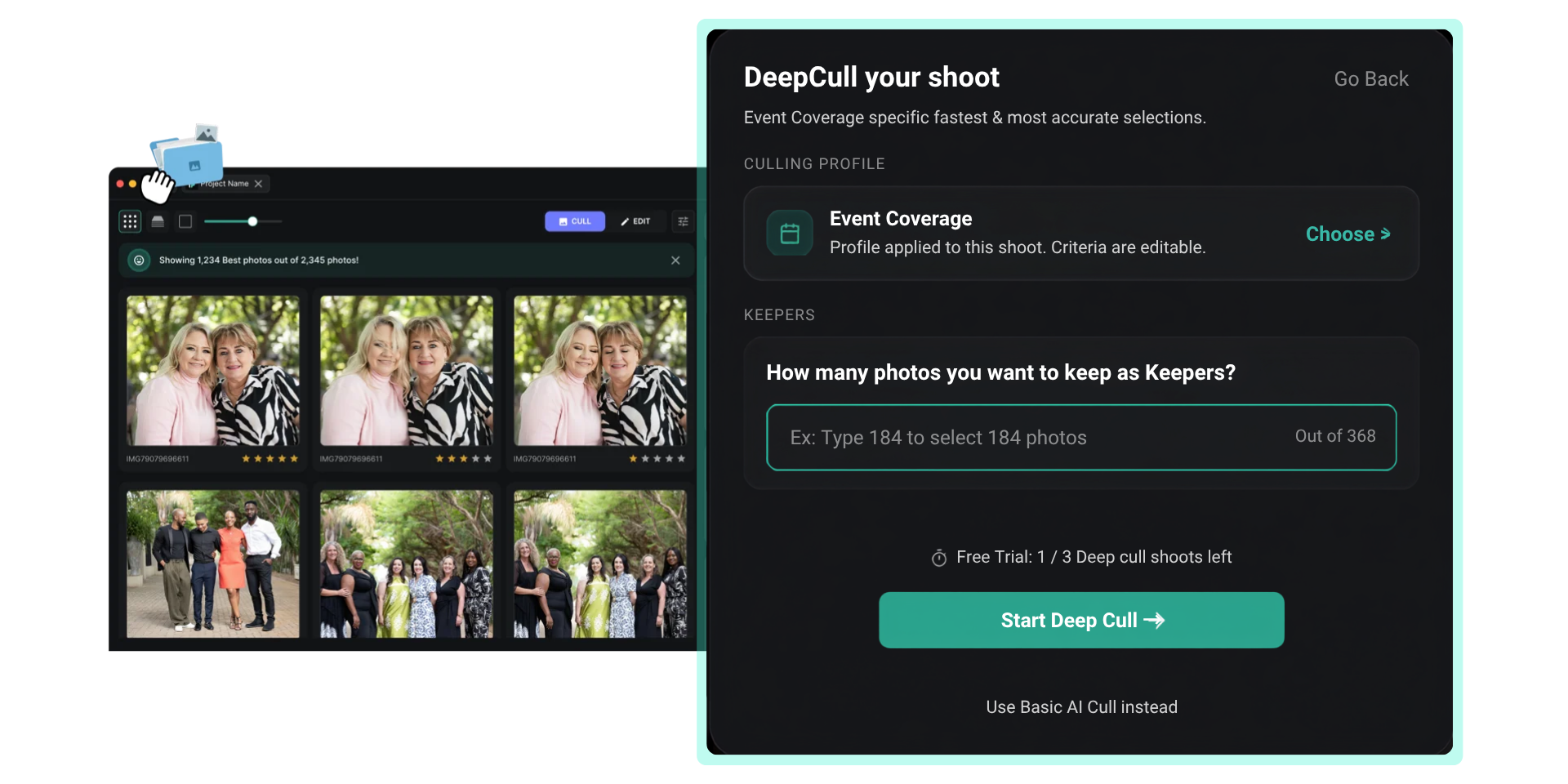
DeepCull is the mode built for deadline photographers. When you select it in the Configure Culling dialog, it tells you exactly what it's doing. If you imported a concert shoot, the card reads "Concerts Specific Culling. Trained on millions of Concerts photos. Reliable for professionals delivering under pressure." DeepCull doesn't offer the same Customize sliders because it doesn't need them. It analyzes the entire shoot holistically, understands the arc of the event, and picks photos based on both technicality and emotion, storytelling, and frame worth. It's genre based intelligence, so it knows what a peak moment looks like in a concert versus a conference versus a sports match.
You can pair Magic Number with both modes. Type in the exact number of photos you need (say 10 out of 1,232) and the AI selects exactly that many, ranked by quality. But the quality ranking is fundamentally different between the two. Basic Cull ranks by technical signals. DeepCull ranks by genre intelligence, which means it factors in the storytelling value of the frame, not just whether it's sharp. That's why DeepCull hits the Magic Number with photos that actually tell the story of the event, not just the sharpest frames from the set.
This isn't about one tool being "better", it's about one tool being built for a different job.
Aftershoot vs. FilterPixel DeepCull: Honest Comparison
Here's the direct comparison on the dimensions that matter for deadline photographers. No inflated claims, just the real trade offs.
|
Dimension |
FilterPixel |
Aftershoot |
|
AI culling model |
Genre specific modes: sports, concert, conference, deadline wedding — each trained on distinct quality signals. Genre selected at import via dropdown (Corporate Events, Sports, Concerts, etc.) and DeepCull loads the matching model |
General aesthetic model applied across all shoot types; genre selection exists but scoring is predominantly portrait/wedding trained |
|
Culling modes |
Two modes: Basic Cull (standard culling with customizable sliders for duplicates, blinks, focus quality) and DeepCull (genre specific intelligence that analyzes the full shoot for storytelling moments, no manual tuning needed) |
Two modes: Automated AI Cull (slider from Extreme to More) and Customized AI Cull (toggle individual detections for highlights, duplicates, blur, closed eyes) |
|
Transparency |
AI Analysis score out of 10 on every thumbnail in Survey Mode with expandable reasoning panel; Quick Filters sort into Best (5 star), Review (3 star), and Rejected (1 star) with color coded picks |
Star ratings and color labels with category sorting (Selected, Highlights, Duplicates, Blurred, Closed Eyes); no per image reasoning |
|
Processing architecture |
Cloud based; same speed on a venue laptop as a studio workstation. 1,232 concert photos culled in 5 min 28 sec (0.27 sec/photo) in our test |
Desktop local; speed depends on the photographer's hardware. Same 1,232 photos took 18 min 19 sec on the same machine |
|
Deadline positioning |
Built for photographers who file during halftime, deliver before the encore, and run slideshows by cocktail hour |
Built for photographers who "reclaim their time" and improve work life balance |
|
Review interface |
Survey Mode with AI scores on every thumbnail, plus standard grid view with Quick Filters panel, Key Faces sidebar, and color coded borders (green for best, red for rejected, purple for review) |
Single image review with Key Faces panel, filmstrip with color coded status bars, and Duplicates grouping with count badges |
|
Magic Number |
Type the exact number you need (e.g. 790 out of 1232) and AI selects that many. Works with both Basic Cull (ranked by technical quality) and DeepCull (ranked by genre intelligence, factoring storytelling and emotion). Shown in Culling Details panel after processing |
No equivalent; Fine Tune Selections lets you adjust how many photos the AI keeps using a slider from Extreme to More |
|
Offline processing |
Requires internet connection |
Full offline capability; no internet needed |
|
AI profile learning |
Genre specific training; learns from genre datasets; ready to be used from Day 1 |
Learns individual photographer preferences over time |
|
Free trial |
3 DeepCull projects, with upto 1000 photos each project. |
30 day Pro trial with full features: unlimited culling, unlimited editing, 1 personal AI profile, 3 instant profiles, 30+ marketplace styles |
|
Editing capability |
AI Profiles from community photographers and FilterPixel built in profiles with RAW and COLOR modes, before/after slider preview, plus Adjustments for Crop, Straighten, and Tone Curve. Available on Suite plan and above |
AI editing + retouching in same app with four tab workflow (Import, Cull, Edit, Retouch) |
|
Platform support |
Windows + macOS + cloud (desktop app) |
Windows + macOS (desktop app) |
-4.png?width=757&height=151&name=BLOG%20DRAFTS%20(5)-4.png)
Where Aftershoot Wins
An honest comparison requires acknowledging where Aftershoot genuinely excels. If these factors outweigh deadline specific needs for your workflow, Aftershoot may still be the right choice.
Offline processing. If you frequently work in venues with unreliable internet, remote locations, outdoor festivals with no WiFi, venues with restricted networks, Aftershoot's offline first architecture is a genuine advantage. DeepCull requires an internet connection for cloud processing.
Flat unlimited pricing. Aftershoot offers unlimited culling on all plans. For photographers processing extremely high volumes across many shoots per month, the flat pricing per project removes any per image anxiety.
AI editing + retouching in one app. Aftershoot includes AI editing and retouching alongside culling in a single application with a clean four step workflow. The retouching tools are genuinely capable, with separate controls for skin blemishes, wrinkles, and teeth adjustments that you can fine tune per image. The marketplace editing profiles give you usable results quickly if you don't want to train a personal profile from scratch. If you want one tool for the entire post production workflow and editing quality is your primary concern, Aftershoot's full stack approach reduces the number of apps in your workflow.-1.png?width=4695&height=2880&name=BLOG%20DRAFTS%20(8)-1.png) When to Switch: The Decision Framework
When to Switch: The Decision Framework
Not every Aftershoot user should switch. But if you are looking for an Aftershoot Alternative in 2026, here's an honest framework:
Switch to FilterPixel's DeepCull if:
-
You regularly re-review Aftershoot's selections because the AI misses the moments that matter in your genre
-
You shoot sports, concerts, conferences, or deadline weddings where filing happens during the event, not after
-
You need to cull at the venue on whatever laptop is available and hardware speed is a bottleneck
-
You need score + reason transparency to trust AI selections under time pressure without manual verification
-
You deliver to clients, editors, or sponsors with hard deadlines measured in minutes or hours
Stay with Aftershoot if:
-
You primarily shoot wedding and portrait photography with multi day or weeks turnaround
-
You want AI editing + culling + retouching in a single application with marketplace profiles
-
You're satisfied with Aftershoot's selections in your genre and don't re review
Consider using both if:
You shoot both deadline events (sports, concerts) and general sessions (portraits, personal projects)
You want Aftershoot's editing and retouching capabilities but DeepCull's culling intelligence for time sensitive work
You're testing DeepCull on deadline shoots while keeping Aftershoot for your regular workflow
Aftershoot Pricing in 2026 And How FilterPixel Compares
Pricing matters, and Aftershoot's plans have changed significantly from the old three tier structure. Here's what they actually cost as of March 2026.
-2.jpg?width=4695&height=2880&name=BLOG%20DRAFTS%20(14)-2.jpg)
Aftershoot now offers four plans, all with a 30 day free trial of the full Pro tier (unlimited culling, unlimited editing, 1 personal AI editing profile, 3 instant AI profiles, and access to 30+ marketplace styles):
Selects (culling only) — $14.99/month, or $9.99/month billed annually. Unlimited AI culling, duplicates detection, AI retouching beta, and priority access to new features. No editing.
Essentials (culling + marketplace editing styles) — $24.99/month, or $19.99/month billed annually. Everything in Selects plus unlimited AI editing using 30+ pre-built marketplace styles and AI retouching beta. AI Crop, Straighten & Masking available as a $10/month add on.
Pro (Aftershoot's recommended plan) — $47.99/month, or $39.99/month billed annually. Everything in Essentials plus a personal AI editing profile trained on your style, 3 instant AI profiles, and AI Crop, Straighten & Masking included free.
Max (high volume studios) — $71.99/month, or $59.99/month billed annually. Everything in Pro plus 5 personal AI editing profiles, 5 instant AI profiles, and priority onboarding.
Additional personal AI editing profiles cost $7/month on Pro and Max plans.
FilterPixel offers four plans plus standalone DeepCull pricing:
Free — $0/month, forever. 3 DeepCull projects with 1000 photos each project. AI Ediitng is also available. No credit card required.
Standard — $20/month, or $9.75/month billed annually. Unlimited projects, smart filters, special face views, enhanced review mode, and advanced photo sorting tools. No AI editing.
Suite — $35/month, or $16.25/month billed annually. Everything in Standard plus Magic Number, advanced filters, basic AI editing with community and built in AI profiles (including DreamTone, Timeless, Adore, Shaadi from community photographers, and PureTone, Espresso, Aura from FilterPixel), each available in RAW and COLOR modes with a before/after slider preview. Also includes adjustments for Crop, Straighten, and Tone Curve, 6+ pre built AI styles, and access on 2 devices.
Workflow — $55/month, or $29.25/month billed annually. Everything in Suite plus 2 custom AI profiles, customizable editing styles, crop and straighten tools, VIP concierge support, and access on 3 devices.
DeepCull (genre specific AI culling for deadline photographers) — 1 project free, then $7.99 per project (up to 5,500 photos per project). This is FilterPixel's third generation culling engine with genre specific modes for sports, concert, conference, and deadline wedding photography, plus score transparency for every photo. When you select DeepCull in the Configure Culling dialog, it shows you the genre it will use based on your import selection, for example "Concerts Specific Culling. Trained on millions of Concerts photos. Reliable for professionals delivering under pressure."
-1.png?width=4695&height=2880&name=BLOG%20DRAFTS%20(9)-1.png)
The honest comparison:
For culling only, Aftershoot's Selects plan at $9.99/month annually gives you unlimited basic culling. FilterPixel's free tier gives you 3 projects at zero cost permanently, and the Standard plan at $9.75/month annually gives you unlimited projects with smarter sorting tools. Comparable price, but FilterPixel lets you evaluate without spending anything.
For culling + editing, Aftershoot's Pro plan at $39.99/month annually ($480/year) is where most serious photographers land, because the Essentials plan only gives you marketplace styles, not your own editing profile. FilterPixel's Suite at $16.25/month annually ($195/year) includes AI editing with 99+ parameters and pre built styles at less than half the price.
For deadline specific culling, there's no Aftershoot equivalent to DeepCull at any price tier. At $49 per project, it's a different pricing model. You're paying per event rather than per month. For a sports photographer covering one or two games a week, the per project cost works differently than a subscription. But what you're getting, genre specific AI that distinguishes peak action from technical sharpness, plus score and reason for every frame, is something Aftershoot simply doesn't offer.
The real cost calculation isn't just the subscription price, it's the re review time. If you're spending 30–60 minutes re reviewing Aftershoot's selections after every event because the AI missed genre specific moments, that time has a cost measured in missed deadlines, delayed deliveries, and client satisfaction.
How to Test FilterPixel's DeepCull Against Your Current Aftershoot Workflow
The best way to evaluate is a direct comparison on your next deadline shoot:
Step 1: Process your next event through both Aftershoot and DeepCull.
Step 2: Compare the selections. Don't look at the total number, look at whether each tool selected the moments you would have selected manually. The peak action, the emotional beats, the storytelling frames.
Step 3: Check the re review tax. How many of Aftershoot's selections would you override? How many of DeepCull's? The tool that requires less re review is the tool that saves you deadline time.
Step 4: Factor in venue speed. If you processed at the venue on a laptop, which tool delivered results faster? In our test with 1,232 concert photos on the same machine, FilterPixel finished in 5 minutes 28 seconds while Aftershoot took 18 minutes 19 seconds. Cloud processing versus local processing is a measurable difference when the hardware is a travel machine.
DeepCull's free project is designed for exactly this test. Upload a full event, name your project, select your shoot type from the genre dropdown (Corporate Events, Sports, Concerts, and more), choose Deep Cull in the Configure Culling dialog, type in how many selects you need, and hit Start Deep Cull. You'll see the results with AI Analysis scores on every thumbnail and Quick Filters that sort your images into Best, Review, and Rejected categories so you know exactly where the AI landed on each frame.
Stop Re Reviewing, Start Delivering In One Go.
If Aftershoot is working for your workflow, genuinely working, not just processing, you don't need to switch. Aftershoot is a well built tool that serves its core audience well.
But if you're scrapping selections after every event, re reviewing because the AI misses genre specific moments, and losing deadline time to a tool that picks sharp images instead of the right images, DeepCull was built for that exact problem. Genre specific AI. Score + reason for every frame. Cloud speed on any laptop. Deliver before the moment expires.
-3.png?width=757&height=151&name=BLOG%20DRAFTS%20(7)-3.png)
Try DeepCull on your next shoot — 3 projects (with upto 1000 images each) free.
FAQs By Photographers in 2026
What is the best Aftershoot alternative in 2026?
For deadline photographers who shoot sports, concerts, conferences, or same day weddings, FilterPixel's DeepCull is the strongest Aftershoot alternative in 2026. The core differences are genre specific AI models that understand what makes a great photo in each shooting context, score + reason transparency for every selection so you can trust the AI under time pressure, and cloud processing that delivers consistent speed regardless of your hardware. For general workflow photographers who primarily want an alternative editing tool, Imagen AI is another option worth evaluating.
How much does Aftershoot cost per month?
Aftershoot offers four pricing tiers as of March 2026. Selects (culling only) costs $14.99/month or $9.99/month billed annually. Essentials (culling + marketplace editing styles) costs $24.99/month or $19.99/month annually. Pro (culling + personal AI editing profile) costs $47.99/month or $39.99/month annually and is Aftershoot's recommended plan. Max (high volume studios with 5 personal profiles) costs $71.99/month or $59.99/month annually. All plans come with a 30 day free trial of the full Pro tier. FilterPixel starts with a permanent free tier (4 projects, unlimited photos) and paid plans from $9.75/month annually.
Is Aftershoot worth it?
Aftershoot is worth it for wedding and portrait photographers who cull with multi day turnaround and want an all in one culling, editing, and retouching tool with flat unlimited pricing. The editing marketplace profiles and retouching module are genuinely useful for that workflow. For deadline photographers who shoot sports, concerts, conferences, or same day weddings and who find themselves re reviewing Aftershoot's selections because the AI misses genre specific moments, FilterPixel's DeepCull offers genre specific intelligence, score + reason transparency, and cloud venue speed processing that Aftershoot's general model does not provide.
Why is FilterPixel the strongest Aftershoot alternative in 2026?
The core differences are in three areas. First, AI intelligence: FilterPixel's DeepCull uses genre specific AI models trained on sports, concert, conference, and deadline wedding quality signals, while Aftershoot applies a general aesthetic model across all genres. Second, transparency: FilterPixel's DeepCull provides a score and reason for every photo decision, while Aftershoot delivers star ratings and category labels with no per image explanation. Third, processing: FilterPixel's DeepCull processes in the cloud for consistent venue speed on any hardware, while Aftershoot processes locally on the photographer's desktop.
Is cloud culling better than local processing?
Cloud culling is better for deadline photographers who process at venues on travel hardware. Cloud processing delivers consistent speed regardless of laptop specifications, so the MacBook Air in the press box runs as fast as the studio workstation. Local processing is better for photographers who need offline capability in locations without reliable internet, or who prefer that image files never leave their machine. The right choice depends on whether your deadline happens at a venue or at your studio.
Is there a better AI photo culling tool than Aftershoot?
That depends on the workflow. For wedding and portrait photographers with longer turnaround times, Aftershoot works well and its editing and retouching tools are a genuine strength. For deadline photographers working on sports, concerts, and conferences, tools like FilterPixel DeepCull may perform better because they use genre specific AI models and cloud processing for faster venue workflows.
Is Aftershoot good for sports photography?
Aftershoot can cull sports photos, but its general AI model prioritizes technical sharpness over peak action moments. Sports photographers frequently find that decisive moments, the apex of a jump, the moment of contact get downgraded because of slight motion blur, while technically sharper but less compelling frames make the selects. FilterPixel's DeepCull has a dedicated sports mode trained specifically on peak action detection and fast-moving subject quality.
Does Aftershoot work offline?
Yes, Aftershoot is fully offline. All processing happens locally on the photographer's computer with no internet connection required at any point. FilterPixel's DeepCull is cloud-based, requiring an internet connection but delivering consistent processing speed regardless of hardware specs. For deadline work in venues with reliable WiFi or cellular hotspot, cloud processing removes the laptop speed bottleneck. For venues with no internet, Aftershoot's offline architecture has the advantage.
What photographers use instead of Aftershoot?
Many event and sports photographers are switching to tools like FilterPixel's DeepCull because they prioritize storytelling moments rather than only technical sharpness. DeepCull also provides score explanations for every selection, helping photographers trust AI results during deadline workflows. Some photographers also use both tools, keeping Aftershoot for its editing and retouching capabilities on portrait and wedding work while using DeepCull specifically for deadline event shoots.
Related Reading
Frequently asked questions
What is the best alternative to Aftershoot for photo culling?
That depends on what you want the tool to be good at. Aftershoot learns your personal selection style across shoots; FilterPixel takes a genre-specific approach with editable scoring criteria and shows a score and reason for every frame. Narrative Select is the third serious option. If explainability under deadline matters most to you, that is the axis to compare on.
How does FilterPixel compare to Aftershoot?
Both cull and both edit. The difference is the model: Aftershoot is built around learning your individual taste, while FilterPixel applies genre-specific profiles — sixteen sport-specific variants alongside conference, concert and wedding — with around ten editable criteria each, and attaches a written reason to every selection. Whether that trade favours you depends on whether your work spans genres or sits in one.
Is FilterPixel cheaper than Aftershoot?
No, not on entry price. Aftershoot starts around $10/month against FilterPixel Standard at $14.99/month billed annually. The comparison shifts once editing is included, since FilterPixel bundles AI editing and unlimited Instant Profiles into the same subscription — but if entry cost is the deciding factor, Aftershoot is cheaper and it would be dishonest to claim otherwise.