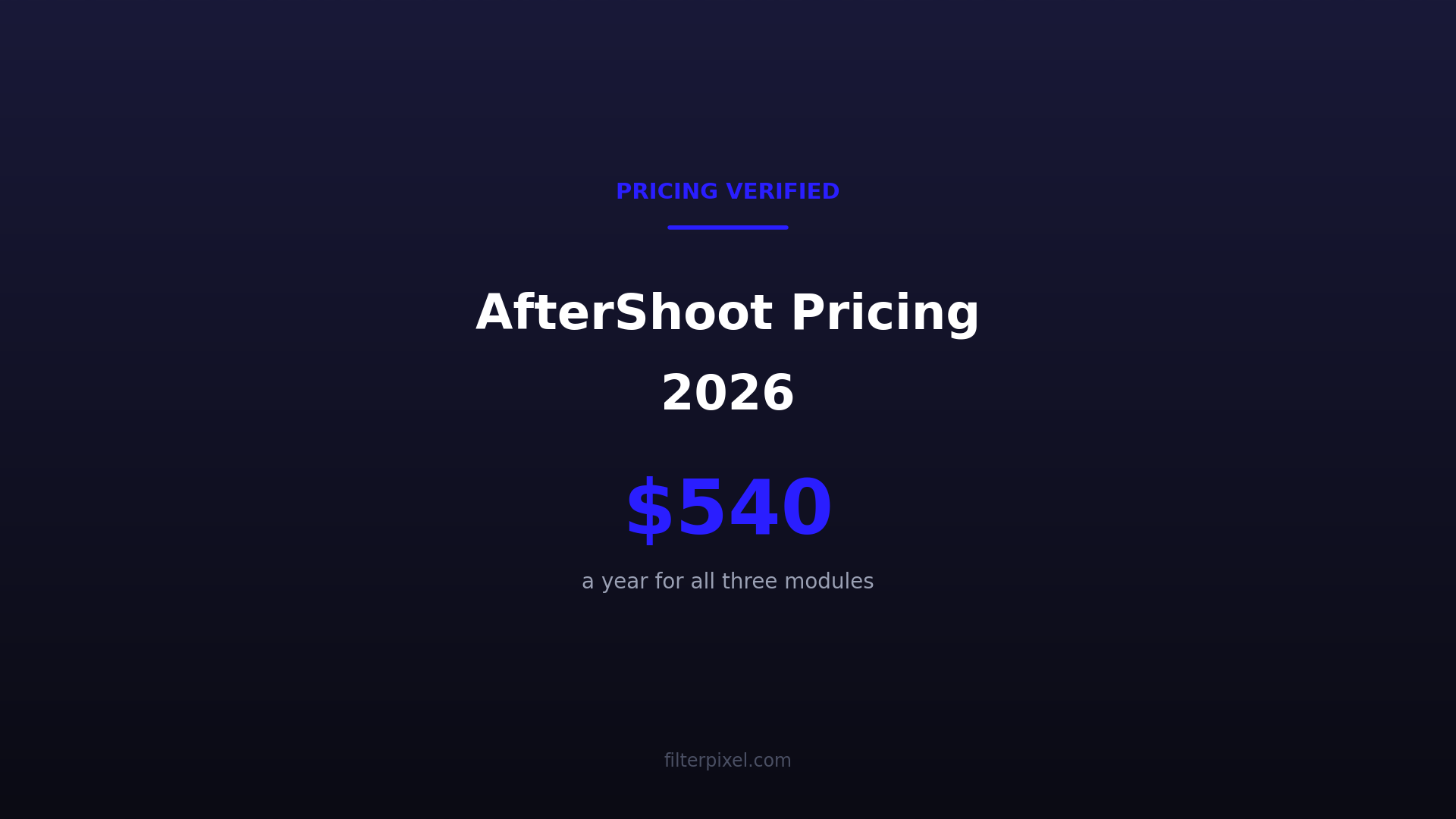


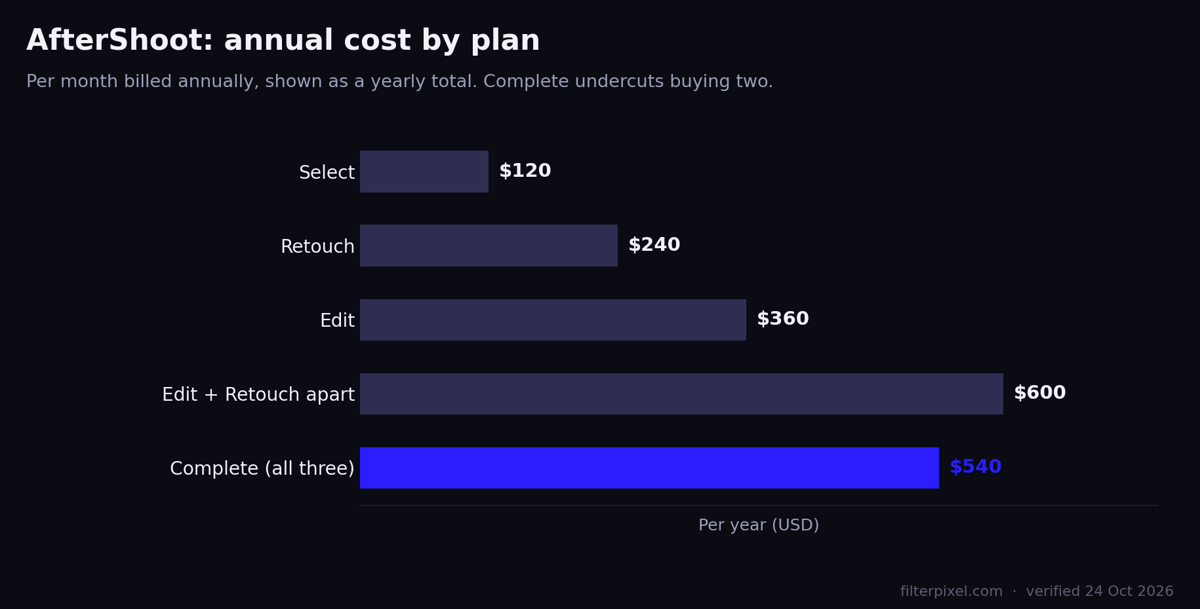
Quick answer: AfterShoot sells four plans, priced per month on annual billing: Select $10, Retouch $20, Edit $30 and Complete $45 for all three. That is $120, $240, $360 and $540 a year. Complete costs less than Edit and Retouch bought separately, which makes the bundle the sensible buy the moment you want more than one module.
- Select $10/mo ($120/yr) — AI culling, duplicate grouping, key face detection
- Retouch $20/mo ($240/yr) — portrait retouching, presets, batch sync
- Edit $30/mo ($360/yr) — AI profiles, marketplace styles, crop, straighten, masking
- Complete $45/mo ($540/yr) — all three, and cheaper than buying two
- Free trial: 30 days
- Training data needed: 2,500 of your own edits minimum
Last updated: 24 October 2026. AfterShoot’s pricing page geo-localises. Read from an Indian connection it shows rupees and, on the day we checked, a wedding-season sale of up to 60% off — so the figure you see may be neither your currency nor the standing price. The USD figures here come from a US read, corroborated by AfterShoot’s own savings calculator, which prices Complete at $540 a year.
How we checked these prices
FilterPixel makes culling and editing software, so we compete with most of the tools below. We have tried to make this useful anyway:
- Every figure comes from the vendor’s own pricing page, read on 24 October 2026 and linked inline
- Prices are USD and standing list — where a sale was running, we say so and quote the normal price
- We checked for geo-localised pricing, which caught two vendors showing local currency and a regional discount
- Where a competitor is cheaper or better than us, we say so in the same sentence
How much does AfterShoot cost in 2026?
| Plan | Per month, billed annually | Per year | What it does |
|---|---|---|---|
| Select | $10 | $120 | AI culling, duplicate grouping, key face detection |
| Retouch | $20 | $240 | Portrait retouching, retouching presets, batch sync |
| Edit | $30 | $360 | AI profiles and marketplace styles, AI crop, straighten, masking |
| Complete | $45 | $540 | All three |
Why Complete is the one that makes sense
Edit and Retouch bought separately come to $50 a month — $600 a year. Complete is $45 a month, $540 a year, and adds Select on top. You are paid $60 to take the third module.
Unless you are certain you only ever want one of the three, the bundle beats almost any combination. That is unusual enough in software pricing to be worth saying plainly: most vendors price the bundle above two modules and rely on you not checking.
Our take: this pricing is doing something clever and it is worth naming. Complete is priced to make the single-module plans look silly, which pushes everyone to $540 and makes AfterShoot the default all-in-one. It works because the bundle is genuinely good value — but it also means that if you only need culling, you should buy Select at $120 and ignore the upgrade prompts entirely.
What the editing plan includes that competitors meter
This is the comparison that matters most, and it is not visible on either pricing page.
AfterShoot’s Edit plan includes AI crop, straightening and masking in the plan price. On Imagen’s pay-as-you-go, those same tools are $0.01 per photo each on top of the $0.05 colour correction — and Imagen’s culling is a separate add-on from $12 a month.
At 20,000 edits a year, AfterShoot Edit at $360 against Imagen Limitless at $1,548 is a gap of $1,188. The honest counterweight: Imagen is widely considered the stronger editor, and if colour consistency across large galleries is what you are buying, that gap may be worth paying.
Shooting to a deadline? The moment expires while the photos sit on a card. See how FilterPixel gets the selects out of a 3,000-frame event the same night. Start free →
What you need before the editing works
AfterShoot asks for a minimum of 2,500 of your own edited images to train a personal AI profile, and recommends 5,000 or more. That is the highest requirement in this category — Neurapix builds a style from as few as 20 — so if you do not have a deep back catalogue, the marketplace Creator Styles are your starting point instead.
Worth checking before you buy Edit, because it is the difference between using it this week and using it next year.
Where it runs, and what it exports to
AfterShoot culls locally on your computer and works offline, which matters for anyone with client data clauses. It exports to Lightroom, Lightroom Classic, LrCC, Bridge and ACR, and supports editing in Capture One — still rare in this category.
The cost of local processing is hardware: AfterShoot is demanding, and on an older laptop the speed advantage disappears. Budget for that honestly if your machine is a few years old.
When AfterShoot is the better tool
When you want culling, editing and retouching from one vendor on one bill, and your computer can take it. At $540 for all three it is the best-value all-in-one in the category, and the offline, local processing is a genuine advantage we cannot match.
It is also wedding-and-portrait-first, and that shows in the culling quality for those genres. See our full AfterShoot review for where that strength tapers off.
When FilterPixel is the better tool
FilterPixel Standard is $14.99 a month, or $180 a year, covering unlimited basic AI culling, 20 DeepCull shoots a year with a score and a written reason on each frame, genre modes for sports, wedding, conference and concert work, and profiles trained on your own edits.
The honest trades, and there are three. AfterShoot Select at $10 a month is cheaper than us for culling alone, and its images are uncapped where our DeepCull is limited to 20 shoots a year. AfterShoot culls locally and works offline; we do not. And AfterShoot retouches, which we do not do at all.
Where we come out ahead is price for culling plus editing together — $180 against $540 for Complete, or $480 for Select and Edit — and on genre breadth, since our models are not wedding-first.
Our limits, stated plainly: DeepCull is capped at 20 shoots a year with extras at $7.99, and culling runs in the cloud on the few-kilobyte preview embedded in each RAW — your original files never leave your machine, but they are not processed on it either.
Frequently asked questions
How much is AfterShoot per month?
$10 for Select, $20 for Retouch, $30 for Edit and $45 for Complete, billed annually. Monthly and half-yearly billing cost more per month.
Is there an AfterShoot free trial?
Yes, 30 days.
Can I buy just culling?
Yes. Select is sold on its own at $10 a month on annual billing.
How many photos can I cull or edit?
There is no image cap on the plans — the limit is which capabilities your tier includes.
Why does AfterShoot show a different price for me?
The pricing page geo-localises and runs regional promotions. Check your own checkout before you commit.
Related reading
- AfterShoot review 2026 and AfterShoot alternatives
- Narrative Select pricing, Evoto pricing, Photo Mechanic pricing
Sources
- AfterShoot pricing, read 24 October 2026 (served local currency with a sale banner; USD from a US read and their own savings calculator)
- Imagen pricing and FilterPixel pricing, read 24 October 2026
Disclosure: FilterPixel sells culling and editing software, so we have a stake in this comparison. Prices come from each vendor’s own pages, linked above.