-4.png)


Cloud storage for photographers is a remote, internet-based system that backs up, syncs, and shares your photo library across devices and locations and protects against drive failure, theft, and the missed-deadline disasters that kill photography businesses. The right service depends on three things most "best of" lists ignore: whether it natively handles RAW files, how fast it uploads on bad WiFi, and whether it fits the deadline pressure of high-volume work. Professional photographers typically need 1–10TB of active storage annually, wedding shooters average 2–3TB, and conference/event photographers can generate 15–25GB of RAW data per shoot day.
This guide compares 13 services on the factors that actually matter for working photographers, with verified 2026 pricing. It then shows you how to wire them into a real deadline-driven workflow.
Quick Comparison: Cloud Storage for Photographers (2026)
| Service | Entry Price | Max Storage | RAW Handling | Auto Backup | Client Galleries | Best For |
|---|---|---|---|---|---|---|
| Adobe Creative Cloud | $14.99/mo (20GB) | 1TB+ | Native in Lightroom | Yes | No | Lightroom-centric editing + sync |
| Backblaze | ~$9/mo ($99/yr) | Unlimited* | Stores RAW (backup only) | Yes | No | Set-and-forget full-drive backup |
| IDrive | $69.65/yr (5TB, yr 1) | 100TB | Stores RAW | Yes | No | Backing up many devices at once |
| pCloud | $199 lifetime (1TB) | 10TB | Stores RAW | Yes | No | One-time payment, long archive |
| Dropbox | $9.99/mo (2TB) | Unlimited (Business) | Stores + previews RAW | Yes | Folder share | Team collaboration & file sync |
| SmugMug | $7/mo (unlimited JPEG) | Unlimited | RAW = paid add-on | Yes | Yes | Portfolio + selling prints |
| PhotoShelter | ~$15/mo | Tiered | Stores RAW | Yes | Yes | Pro client delivery & licensing |
| Google Photos / One | $1.99/mo (100GB) | 30TB | Limited (compresses) | Yes | Yes | Casual backup & sharing |
| OneDrive | $1.99/mo (Basic) | 1TB+ | Stores RAW | Yes | Link share | Microsoft 365 households |
| NordLocker | $8.99/mo (500GB) | 2TB | Stores RAW | Yes | Limited | Privacy / zero-knowledge encryption |
| Icedrive | $4.99/mo (1TB) | 5TB | Stores RAW | Yes | Yes | Clean UI, mounted-drive feel |
| Box | $11.50/mo (Pro, 100GB) | Unlimited (Business) | Stores RAW | Yes | Yes | Business teams & compliance |
| Amazon Photos | Free w/ Prime | Unlimited photos | RAW supported | Yes | Yes | Prime members, photo-only backup |
*Backblaze "unlimited" is per-computer continuous backup, not object storage. Pricing verified May 2026; promotional first-year rates and annual discounts vary.
Why Photographers Can't Skip Cloud Storage
You just wrapped a three-day corporate conference. 4,200 RAW files sit on your camera cards, the client expects sponsor galleries by tomorrow morning, your laptop SSD is full, and your external drive is back at the studio while you're in a hotel with questionable WiFi. That scenario plays out every week for high-volume photographers, and it's exactly why cloud storage stopped being optional.
Hard drives don't last forever. They fail, get dropped, get stolen, or get left in a cab. The professional standard is the 3-2-1 rule: keep 3 copies of important files, on 2 different media types, with 1 copy off-site. Cloud storage is the cleanest way to cover the off-site copy without babysitting a drawer full of drives.
But not all "cloud storage" is the same thing, and conflating the categories is the most common mistake photographers make:
- Backup services (Backblaze, IDrive) mirror your whole drive automatically. Cheap, hands-off, but not built for sharing or galleries.
- Sync/file services (Dropbox, OneDrive, Google) keep folders identical across devices. Flexible, but RAW handling and gallery presentation are weak.
- Photographer platforms (SmugMug, PhotoShelter) add client galleries, print sales, and licensing — but charge more, and several treat RAW as a paid extra.
- Lifetime/archive (pCloud) trades a one-time fee for long-term cold storage of finished work.
The best working setup almost always combines two of these — more on that below.
What to Look For (The Factors That Actually Matter)
Native RAW support. This is the single most misunderstood feature. Many services will store a RAW file (it's just data), but won't preview, sync to your editor, or include it in your base plan. SmugMug, for example, offers unlimited photo storage but charges separately for RAW backup. Always confirm RAW is covered before you commit.
Upload speed on real connections. Photographers work from hotels, venues, and the road. A service that's fast on fiber can crawl on conference-center WiFi. Look for selective/prioritized upload and resumable transfers that survive a dropped connection.
Automatic, continuous backup. If you have to remember to back up, you eventually won't — usually the week before a drive dies. Set-and-forget beats manual every time.
Client sharing and permissions. Corporate and event work involves multiple stakeholders — marketing wants social crops now, executives want private galleries with download limits. Granular permissions and branded galleries matter for paid work.
Security and data residency. Executive portraits, product launches, and board meetings carry confidentiality obligations. Look for AES-256 encryption in transit and at rest, and confirm data-residency policies if a corporate client requires it.
Honest total cost. Watch for first-year promo pricing that doubles on renewal (common with IDrive), RAW add-on fees (SmugMug), and per-user minimums (Dropbox Business). The sticker price is rarely the real price.
The 13 Best Cloud Storage Services for Photographers
1. Adobe Creative Cloud
|
Adobe Creative Cloud is the default for anyone living in Lightroom and Photoshop. Storage syncs straight into your catalog, so you can start culling on a laptop while files upload in the background, completely unmatched for fast turnaround. The catch is storage size and price: the entry Photography plan now runs $14.99/mo (monthly, annual commitment) or $119.88/yr prepaid for just 20GB, and the 1TB tier is $19.99/mo. 20GB fills up almost immediately for pro RAW work, so most pros pair Adobe with a cheaper bulk-backup service. Keep in mind that files you haven’t permanently deleted still count toward your storage limit. |
Best for: Photographers already in the Adobe ecosystem who want editing and sync in one place.
Pros:Native RAW editing and seamless catalog sync across devices
Best-in-class for fast turnaround editing
Cons:
Only 20GB on the entry plan; $19.99/mo for 1TB adds up
No client galleries or print-sales tools
2. Backblaze

|
The value king of true backup is Backblaze. One flat plan, ~$9/mo or $99/yr, unlimited storage, per computer — no per-GB math. Install it, and it continuously backs up your whole drive (external drives included, if you plug them in at least every 30 days). The trade-offs: no selective folder sync (it backs up everything), a dated interface, and it's a backup tool, not a gallery or sharing platform. Note that the $6/TB/month figure you'll see elsewhere is Backblaze B2, their separate pay-as-you-go object storage — a different product |
Best for: Set-and-forget off-site backup of large libraries on a single machine.
Pros:
Unlimited storage at a flat, predictable price (~$99/yr)
True set-and-forget continuous backup, external drives included
Cons:
No selective sync — backs up the whole drive or nothing
Dated interface; not a sharing or gallery platform
3. IDrive
|
IDrive is the best pick if you're backing up many devices into one account — PCs, Macs, iPhones, iPads, Android, even NAS. The 5TB Personal plan is around $69.65 for the first year (then it renews higher, ~$99.50/yr, so budget for that), scaling up to 100TB. It also includes IDrive Express once a year — they physically ship you a drive for the initial bulk upload, which beats waiting days to push terabytes over broadband. |
Best for: Multi-device households and small studios that want one backup account for everything.
Pros:Backs up unlimited devices (PC, Mac, mobile, NAS) under one account
Physical drive shipping (IDrive Express) for fast initial upload
Cons:
First-year promo pricing renews ~43% higher — budget for it
Restore speeds can be slow for large libraries
4. pCloud

|
pCloud has the lifetime-payment option. Instead of a monthly bill forever, you pay once: the 1TB lifetime plan is commonly $199, 2TB around $279–$399, and 10TB around $799–$1,190 depending on the (near-constant) promotion. It's Swiss-based with strong privacy, though true zero-knowledge pCloud Crypto costs extra. Best understood as a long-term archive for finished work rather than a daily editing drive — and remember "lifetime" means the company's lifetime, so keep it as one leg of a 3-2-1 setup, not your only copy. |
Best for: Photographers who'd rather pay once for archive storage than rent it monthly.
Pros:
One-time lifetime payment instead of forever-monthly fees
Swiss privacy laws and strong long-term archive value
Cons:
Zero-knowledge encryption (Crypto) costs extra
"Lifetime" = company's lifetime; not a daily editing drive
5. Dropbox

|
Not photography-specific, but Dropbox is rock-solid for syncing and team collaboration. Plus gives 2TB at $9.99/mo (annual) / $11.99 monthly; Professional gives 3TB at $16.58/mo (annual) with branded share links and 180-day version history. It stores RAW and previews many formats, and the desktop client is among the most reliable for keeping a folder identical across machines. Business/Advanced tiers scale to pooled or effectively unlimited storage but carry a 3-user minimum. One thing to note: If you have more than 300,000 files synced to your computer, Dropbox might slow down a bit. |
Best for: Teams and collaborators who need dependable file sync and large-file sharing.
Pros:Unlimited photo hosting plus a portfolio website and print sales
Professional, customizable client galleries
Cons:
RAW backup is a paid add-on (~$10/mo for 1TB), not standard
Higher tiers are annual-billing only and pricier than pure storage
6. SmugMug
| x
|
SmugMug is a storage-plus-business platform: unlimited photo hosting, a portfolio website builder, and print/digital sales tools. Plans run roughly $7 (Basic) / $11 (Power) / $27 (Portfolio) / $42–45 (Pro) per month, annual billing only on the higher tiers. Important gotcha: unlimited storage covers JPEGs — RAW backup is a paid add-on (about $10/mo for 1TB, +$6/mo per additional TB). Great if you sell your work and want presentation built in; less efficient as a pure RAW vault. |

Best for: Pros who want portfolio, galleries, and sales in one place.
Pros:
Unlimited photo hosting plus a portfolio website and print sales
Professional, customizable client galleries
Cons:
RAW backup is a paid add-on (~$10/mo for 1TB), not standard
Higher tiers are annual-billing only and pricier than pure storage
7. PhotoShelter
 |
PhotoShelter is built specifically for professional client delivery. Strong gallery system with licensing options, download tracking, and branded presentation that corporate clients expect, plus solid Capture One integration. Entry pricing starts around $15/mo and scales with storage. Treat it as your delivery layer rather than your bulk-backup layer. |
Best for: Working pros who need professional galleries, licensing, and delivery tracking.
Pros:
Purpose-built client delivery, licensing, and download tracking
Strong Capture One integration and branded presentation
Cons:
Lower tiers include limited storage
Better as a delivery layer than bulk backup
8. Google Photos / Google One
 |
Familiar, cheap, and excellent at organization, AI auto-tags people, objects, and places, and search is the best in the category. Google One starts at $1.99/mo for 100GB and scales to 30TB. The limitation for pros: it leans toward compressed display copies and offers limited professional controls and RAW handling. Fine as a convenient secondary backup and easy client sharing; not a primary RAW workflow. |
Familiar, cheap, and excellent at organization — AI auto-tags people, objects, and places, and search is the best in the category. Google One starts at $1.99/mo for 100GB and scales to 30TB. The limitation for pros: it leans toward compressed display copies and offers limited professional controls and RAW handling. Fine as a convenient secondary backup and easy client sharing; not a primary RAW workflow.
Best for: Casual backup, organization, and quick sharing.
Pros:
Best-in-class AI organization and search; very cheap entry price
Easy sharing, scales to 30TB
Cons:
Leans toward compressed copies; weak RAW handling
Limited professional controls
9. Microsoft OneDrive
 |
If your studio runs on Microsoft 365, OneDrive is already bundled, typically 1TB+ per user, with a standalone Basic plan around $1.99/mo for 100GB. It backs up photos reliably and integrates cleanly with Office and Windows. Not photographer-focused, but a sensible, low-friction backup if you're already paying for the Microsoft ecosystem. |
Best for: Microsoft 365 households and offices wanting backup with no extra subscription.
Pros:
Bundled free with Microsoft 365 (1TB+ per user)
Clean Office and Windows integration
Cons:
Not built for photographers; no galleries or sales tools
RAW preview and pro features are basic
10. NordLocker
 |
NordLocker is the privacy specialist. Every file is protected with zero-knowledge encryption meaning not even NordLocker staff can read your data. Drag-and-drop, cross-platform, and simple. Pricing starts at $8.99/mo for 500GB, with a 2TB plan around $14.99/mo. The trade-off is fewer photographer features (no real galleries or sales tools), so it suits sensitive work where confidentiality outranks presentation. |
Best for: Photographers handling confidential or sensitive shoots who prioritize privacy.
Pros:
Zero-knowledge encryption — even staff can't read your files
Simple drag-and-drop, cross-platform
Cons:
No client galleries or sales tools
Smaller storage ceiling (2TB) than rivals
11. Icedrive
 |
Icedrive is a clean, modern service that can mount cloud storage as if it were a local drive — so it feels native to your file system. Desktop, mobile, and web apps with an intuitive interface, plus password-protected and time-limited sharing for clients. Pro is about $4.99/mo for 1TB; Pro+ runs around $17.99/mo for 5TB. A strong value pick for individuals who want simplicity without sacrificing sharing controls. |
Best for: Solo photographers who want an affordable, good-looking, easy-to-use cloud drive.
Pros:
Mounts as a native-feeling local drive; clean, intuitive UI
Affordable, with password-protected and time-limited sharing
Cons:
Smaller brand with a shorter track record
Fewer pro-photographer features than dedicated platforms
12. Box
 |
Box is primarily a business and collaboration platform with enterprise-grade security and compliance — useful if you regularly work with corporate teams that already run on Box. The free tier is limited (10GB, 250MB upload cap); the Pro plan at about $11.50/mo gives 100GB with 5GB file uploads, and Business tiers scale much higher. Better as a secure collaboration hub than a high-volume RAW archive. |
Best for: Photographers embedded in corporate workflows needing secure team collaboration.
Pros:
Enterprise-grade security and compliance for corporate teams
Strong collaboration and admin controls
Cons:
Restrictive free tier (10GB, 250MB upload cap)
Overkill and inefficient as a pure RAW archive
13. Amazon Photos
 |
Often overlooked: Amazon Prime members get unlimited full-resolution photo storage (including RAW from most cameras) at no extra cost, plus 5GB for video. The interface is clunkier than dedicated tools and pro controls are thin, but for the millions already paying for Prime, it's effectively free off-site photo backup — an easy third leg of a 3-2-1 strategy. |
Best for: Prime members who want zero-additional-cost RAW photo backup.
Pros:
Unlimited full-resolution photo backup free with Prime (RAW supported)
Effectively zero added cost for existing Prime members
Cons:
Clunky interface; thin professional controls
Only 5GB for video; tied to an active Prime membership
How to Build a Real Deadline-Driven Workflow
The most efficient setups don't rely on a single service — they tier them by job. Here's a battle-tested structure for high-volume, deadline-heavy work:
Tier 1 — Immediate backup (shoot day). Use a fast-syncing service with automatic folder monitoring (Adobe Creative Cloud or Dropbox). Files upload the moment you import to your laptop, so you're protected before you even start editing.
Tier 2 — Client delivery (next day). Push your curated selects to a client-facing platform (SmugMug or PhotoShelter) with better gallery presentation, branding, and download controls than raw cloud storage offers.
Tier 3 — Long-term archive (post-delivery). Move finished projects to cost-effective cold storage (pCloud lifetime, Backblaze, or Amazon Glacier-class storage). You'll rarely touch these, but they're essential for portfolio maintenance and re-licensing.
Bandwidth tip: From a hotel, prioritize your tightest-deadline content first — sponsor shots, keynote speakers, award ceremonies — and queue the rest to upload overnight.
Organization tip: Decide on a folder and keyword convention before your first upload. A consistent Year / Event / Day / Session structure with sponsor and speaker keywords means you can actually find images months later when a re-licensing request comes in.
Where AI Culling Fits (The Step Most Guides Skip)
Here's the bottleneck no storage service solves on its own: volume. Uploading 4,000 RAW conference files over hotel WiFi is slow and pointless when the client only needs the keepers. The fix is to cull before you upload.
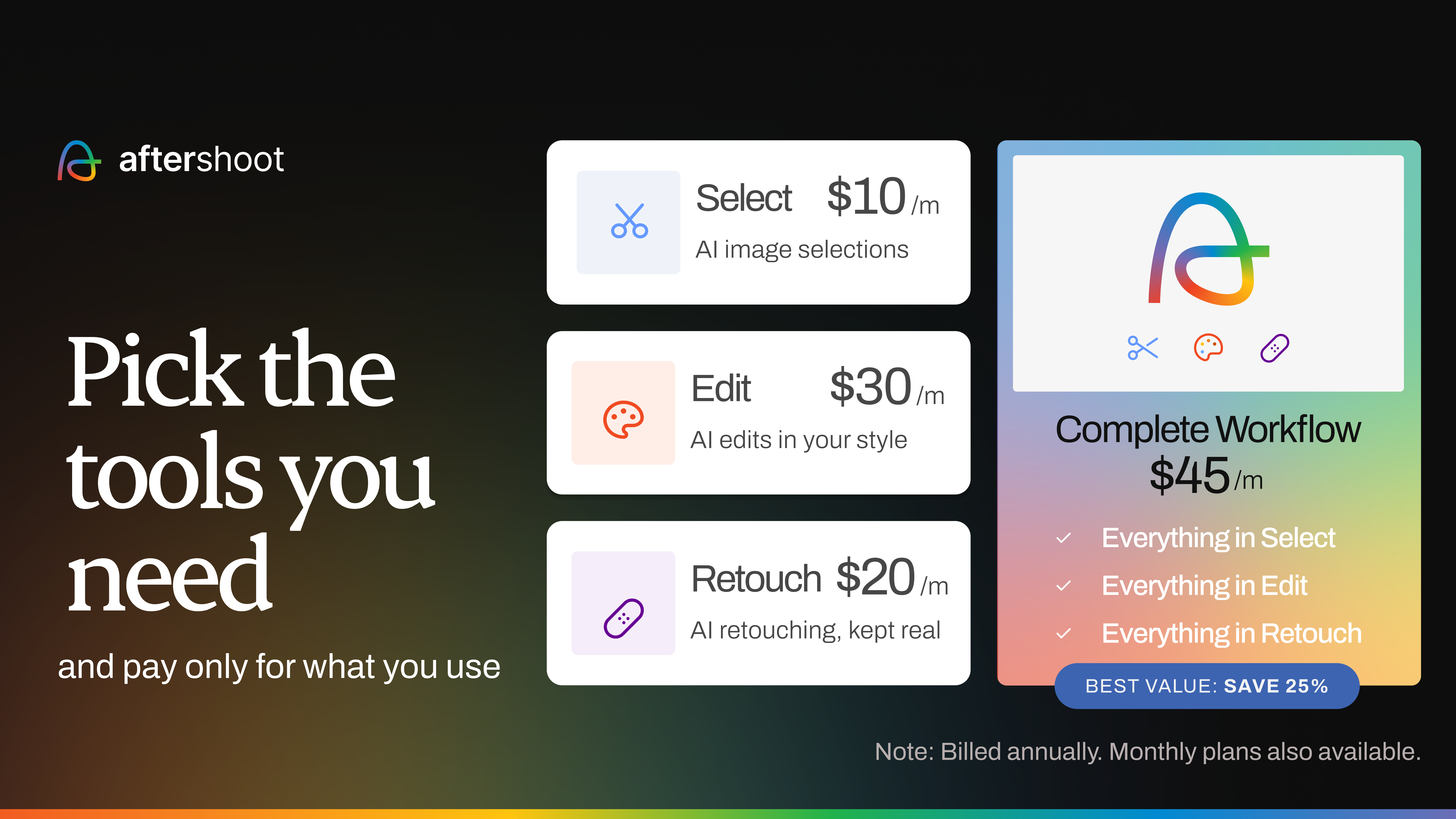
This is where an AI culling tool like FilterPixel changes the math. FilterPixel's DeepCull engine scores every photo across 10 parameters — sharpness, composition, eyes-open, exposure, and more — with both individual scores and an overall average, using genre-specific modes for Sports, Wedding, Conference, Concert, and Events. Crucially, it gives you a Score + Reason for each pick ("Sharp focus on speaker, clean composition, no audience distraction"), so you stay in creative control instead of trusting a black box.
The workflow gain is direct:
- Cull first. Run your shoot through DeepCull and let it surface the keepers in minutes, not hours.
- Upload less. Instead of pushing 4,000 RAWs, you upload ~400 selected keepers immediately — cutting initial upload time by up to 90% and hitting the deadline.
- Archive the rest. Let the full set back up to cold storage overnight, when bandwidth is free.
For high-volume photographers under deadline, AI culling and cloud storage aren't separate decisions — culling is what makes your storage workflow fast enough to actually meet the deadline
Shot thousands of photos? FilterPixel culls them in minutes using genre-specific AI, so you only upload the frames that matter. Try DeepCull free → https://accounts.filterpixel.com/
-1.png?width=1350&height=270&name=BLOG%20DRAFTS%20(16)-1.png)
Choosing the Right Cloud Storage for You
There's no universal "best" — there's the best for your job:
- You live in Lightroom: Adobe Creative Cloud (pair with Backblaze for bulk backup).
- You want cheap, hands-off backup: Backblaze or IDrive.
- You sell prints / need a portfolio: SmugMug or PhotoShelter.
- You collaborate with a team: Dropbox or Box.
- You'd rather pay once: pCloud lifetime.
- Privacy is non-negotiable: NordLocker.
- You're on a budget / already pay for Prime or Microsoft 365: Amazon Photos or OneDrive.
Whatever you choose, follow the 3-2-1 rule, confirm RAW is actually covered in your plan, and budget for renewal pricing — not just the first-year promo.
Photo Cloud Storage FAQs
How much cloud storage do photographers need? Most professionals need 1–10TB of active storage annually. Wedding photographers average 2–3TB per year; conference and event photographers generate 15–25GB of RAW per shoot day, so a single multi-day event can produce 50–200GB of keepers. Plan for 20–40 events' worth of active storage, plus separate archive storage for older work.
Which service has the fastest uploads for large photo files? Upload speed depends heavily on your own connection, but Adobe Creative Cloud and Dropbox consistently perform well for large files and offer resumable, prioritized uploads. The bigger speed win, though, is reducing what you upload — cull first so you're sending hundreds of keepers, not thousands of rejects.
Does cloud storage support RAW files? Most services store RAW data, but support varies. Adobe handles RAW natively in Lightroom; Backblaze, IDrive, pCloud, and Amazon Photos back up RAW files; but some platforms like SmugMug treat RAW backup as a paid add-on. Always confirm RAW is included in your plan before committing.
Can I use more than one cloud service at once? Yes — and most pros do. A common setup pairs Adobe Creative Cloud for editing/sync with Backblaze for bulk backup and SmugMug or PhotoShelter for client delivery. Just make sure you have the bandwidth for simultaneous uploads.
What if my cloud provider shuts down? Always keep local copies and know your provider's export tools. This is exactly why the 3-2-1 rule (3 copies, 2 media types, 1 off-site) still applies even with cloud storage — no single service should be your only copy. "Lifetime" plans in particular mean the company's lifetime, so treat them as one leg of the strategy.
How do I handle cloud storage when shooting internationally? Check data-roaming costs and local infrastructure before you travel, and consider a portable WiFi hotspot or local SIM. For huge international shoots, some photographers cull on-site and upload only selects, or ship a drive home rather than fighting hotel WiFi.