
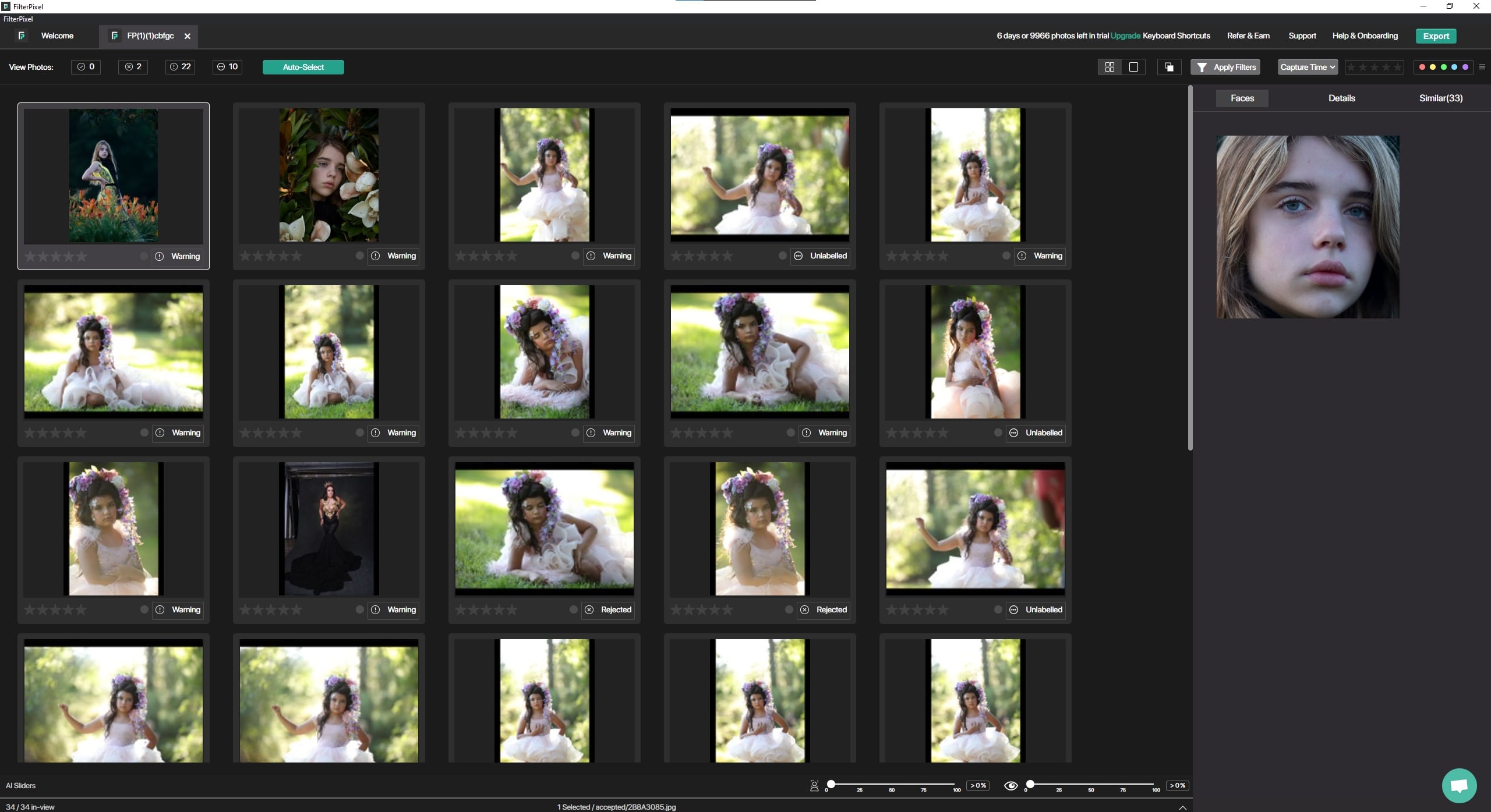


v2.0.9
- FilterPIxel proprietary AI is able to detect and seperates Hugs, Kisses, Babies, Dancing and makeup/getting ready photos
- A better user experience while selecting images in grid view (Ctrl/Cmd + Click)
- AI Autoselect Algorithm is now even more accurate.
- Seamless Drag Drop Based Export to Lightroom, CaptureOne, Lightroom Classic integrated.
- Multiple new filters such as hugs, baby, kisses added
- Now you can export ratings and states for JPEGs as well
- FilterPIxel now supports HEIC and PSD images as well
- Culling Speed has increase by upto 20%, and errors while culling have been resolved
v2.0.8
- AI understands the orientation of your face better, It wont reject faces that are looking sideways or downwards anymore
- UI enhancements in the Trial screen
- Overall AI algorithm Improvement. We tweaked our proprietary algorithm to reflect insights it has learnt from our users
- CR3 Fixes, culling on CR3 images is now faster than ever
- You can go through your images faster using Filters
- Culling pausing if computer goes to sleep is now fixed
- Identifying images that do not have “similar images” is easier now
v2.0.5
- View and search Keyboard shortcuts at just a click whenever you find yourself looking for a fast way to do something
- Improved App stability
- Improved Export mechanism and UI
- Images will only be moved if enough space is present on drive
- Lighting Fast Face Views, no waiting for seeing your favorite faces FilterPixel instantly render high resolution face views for your perusal
- Fixing Minor Issues
v2.0.2
- Minor Bug Fixes
- View your hours saved in the Dashboard
v2.0.0
- FiterPixel has a completely new and innovative design
- We Bring to you Comparison View, the most intuitive and easy way to compare between similar images (Just Press ‘C’)
- Navigation through the App has become more easier
- A smarter smart panel has all the right things in front of you
- Import of folder is easier
- Fixes CR3 high resolution rendering bug
- Thumbnails are bigger so you can select directly from grid view
- Similar Images, view images similar to the current photo right in front of you (quick tip : press alt + up/down to operate between them)



-Jun-19-2026-12-08-11-9138-PM.png)