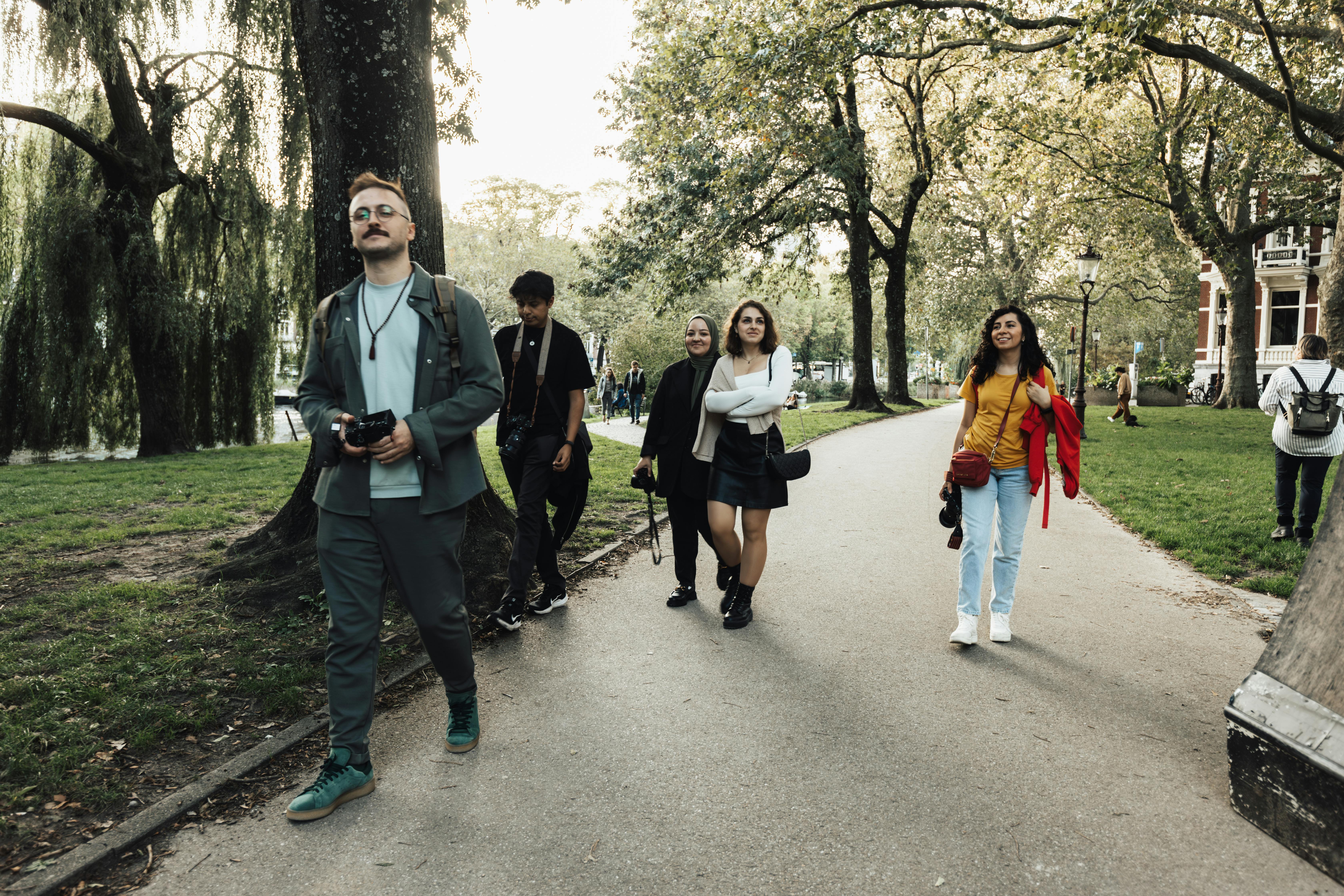
-jpg-4.jpeg)


The photography industry is evolving faster than ever. According to our 2025 State of Photography Industry Report surveying over 1,000 early AI adopters, 44% of professional photographers are focusing on creating premium, in-person experiences to stand out — while 12% are doubling down on developing artistic styles AI cannot replicate.
This tells a bigger story: technology is changing workflows, but style still defines value.
In an era of smart tools and automation, what sets successful photographers apart is not just efficiency — it’s identity. The combination of a recognizable photo editing style, a streamlined AI-led workflow, and a consistent client experience is what drives both creative satisfaction and business growth.
That’s why in 2026, photographers aren’t just editing — they’re branding their edits.
Your style has become your signature product. And with tools like FilterPixel AI Editing Profiles, your unique aesthetic can finally travel — across devices, teams, and even revenue streams.
Why Editing Styles Matter More Than Ever
A photo editing style is no longer a creative afterthought — it’s your visual fingerprint. It’s how your brand is remembered in a crowded feed, how your clients describe you to others, and how you turn one booking into ten.
For professional photographers, this means:
- Building trust through visual consistency.
- Communicating your artistic identity instantly.
- Creating efficiency through repeatable, scalable workflows.
In today’s market, your editing style does three things:
- Defines your brand. Your clients hire you because your photos look like you.
- Enables scale. A strong workflow lets you replicate that look across thousands of frames.
- Drives revenue. You can now package your style as an asset — selling, licensing, or teaching it.
How the Best Photographers Are Adapting
The line between artistic and technical mastery has blurred.
Photographers who grow fastest today combine artistry with automation:
- They outsource mechanical editing to AI tools like FilterPixel while keeping creative control.
- They train AI Editing Profiles on their personal edits — turning their look into an adaptive algorithm.
- They sell or license their style, transforming creativity into a passive income stream.
This new workflow isn’t about replacing your creative intuition — it’s about scaling it.
What You’ll Learn in This Guide
In this comprehensive breakdown, we’ll cover:
- The core photo editing techniques every professional must master.
- The 13 most popular photo editing styles shaping photography in 2025.
- How to develop your own editing style that clients instantly recognize.
- Why AI editing profiles (smart presets) are the future of adaptive workflows.
- How to export, share, and monetize your signature style with FilterPixel.
Whether you shoot weddings, portraits, sports, or brand campaigns, this guide will help you find your visual voice — and turn it into a business advantage.
Master the Fundamentals (Fast Wins)
Before you pick a look, tighten your foundation:
- Exposure / Contrast / White Balance
Nail clean midtones; protect skin and highlights. WB drives mood—slightly warm = nostalgic, slightly cool = editorial. - Color Correction vs Color Grading
Correct for accuracy; grade for emotion. Use HSL selectively (skin priority), keep neutrals honest. - Cropping & Composition
Use crops to isolate subjects, straighten horizons, and simplify edges. Negative space = modern polish. - Sharpening & Noise Reduction
Sharpen selectively (eyes/hair/fabric texture), denoise without plastic skin. Masking is your friend.
12 Popular Photo Editing Styles (With When/Why)
Classic
1) Black & White — tone / shape / texture first
Essence: Remove color and let form, light, texture and emotion lead.
Visual traits: Strong tonal range, texture emphasis, clean separations of midtones, highlights and deep blacks.
Shooting tips: Prioritize contrasty light (side light or window light) and textured subjects (skin, fabric, stone). Use polarizers to deepen skies.
Lighting: Side, short or Rembrandt-style light to create depth. Avoid flat noon light.
Composition: Look for shapes, leading lines, and patterns. Negative space can be powerful.
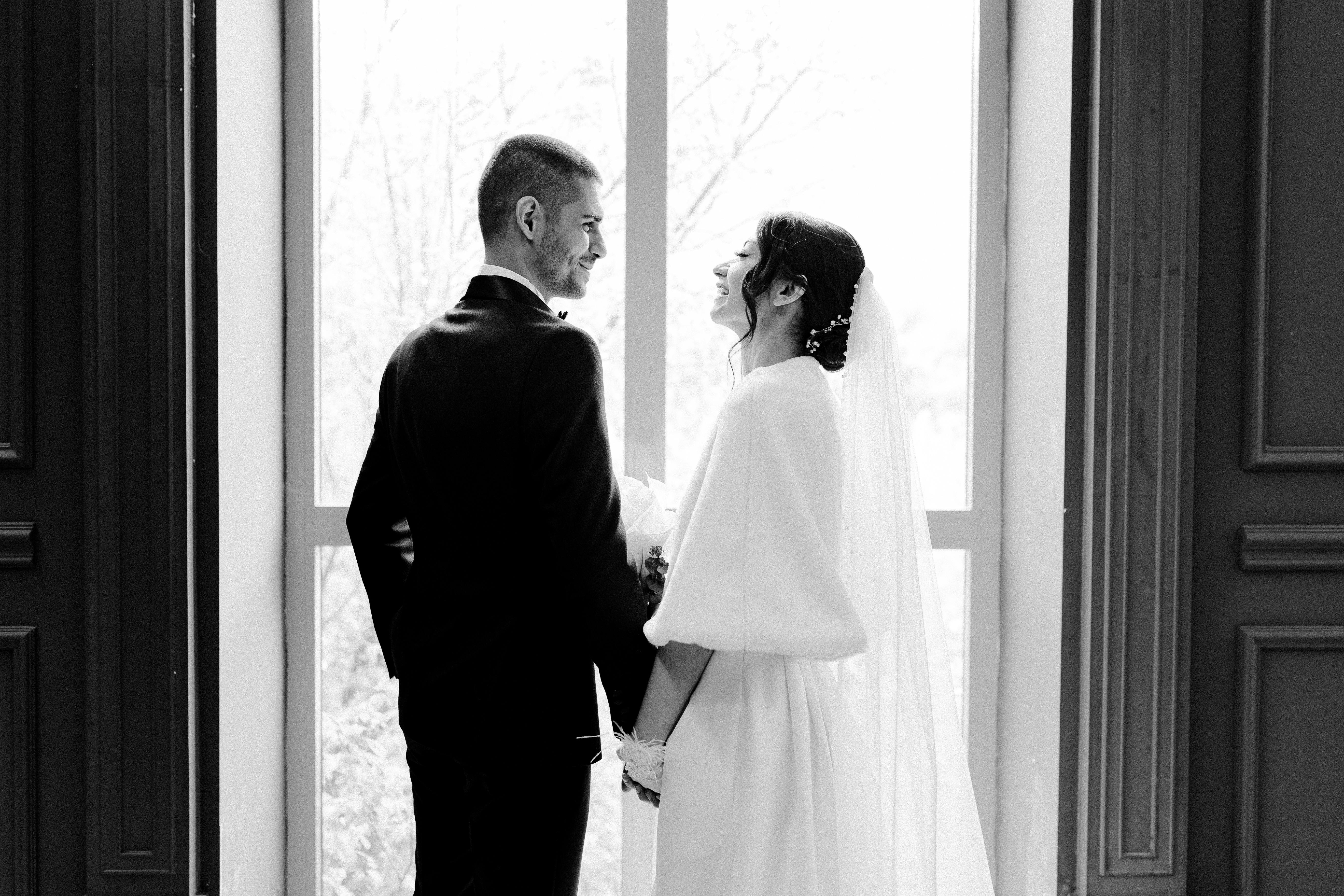
Editing recipe (Lightroom-style):
-
Exposure: adjust to keep highlight detail
-
Contrast: +10–30
-
Highlights: -20 to -60
-
Shadows: +10 to +40
-
Whites/Blacks: push blacks down for depth
-
Clarity/Texture: +10–25 (texture for detail)
-
Convert to B&W, then fine-tune channel mixes (red/green/blue) to control skin and sky contrast
-
Add subtle grain if needed
Preset/AI approach: Use monochrome profile, tweak channel mix to separate skin from background.
Best for: Portraits, architecture, documentary, editorial.
2) Vintage — gentle desat, film grain, warm toning
Essence: Nostalgia: warm skin tones, muted saturation, film grain and slight color shifts that feel lived-in.
Visual traits: Warm midtones, gentle highlight roll-off, soft grain, slight magenta/amber in highlights.
Shooting tips: Golden hour or soft window light, fabrics and props that suggest time (vintage dresses, worn wood). Shoot slightly underexposed for mood.
Lighting: Soft directional light or warm backlight.
Composition: Storytelling, layered foregrounds, props that imply era.
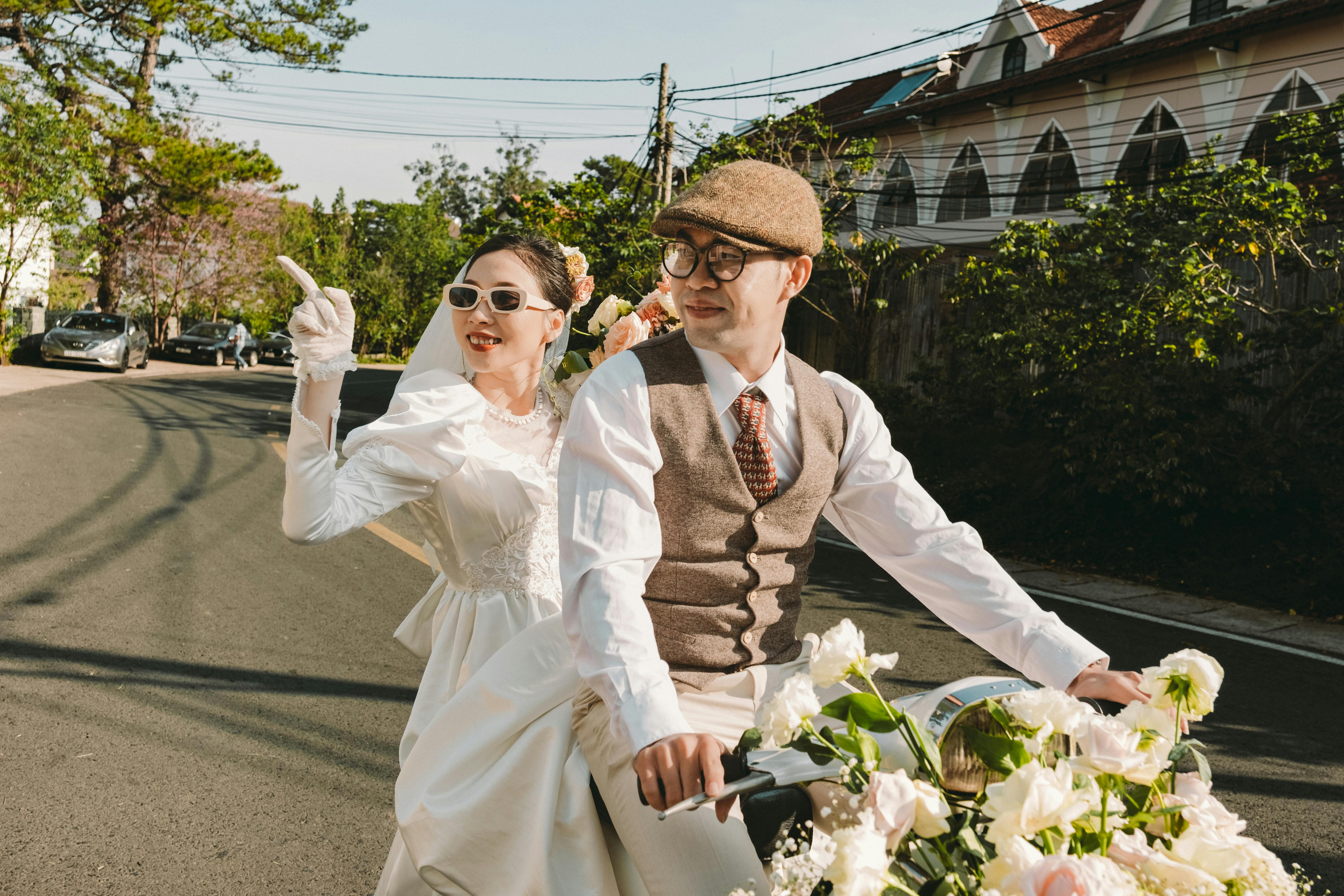
Editing recipe:
-
Exposure: slightly lower (–0.1 to –0.5)
-
Contrast: -5 to +5 (often softer)
-
Highlights: -20 to -40
-
Shadows: +10 to +30
-
Vibrance: -10 to -25 (desat)
-
Split toning: warm highlights (20–40 hue, 10–30 saturation), cooler shadows or slight green/teal depending on the look
-
Add film grain (10–30) and gentle vignette
-
Optional: apply subtle matte curve (lift blacks)
Preset/AI approach: Use film grain + warm split-tone as base; AI profiles can emulate Portra-like rolloff.
Best for: Weddings, lifestyle, nostalgia-driven work.
3) Film Emulation — stock-inspired hues / curves
Essence: Recreate the color science and tonal response of classic film stocks (Kodak Portra, Fuji, Ektar).
Visual traits: Characteristic skin tones, gentle contrast, natural grain, film-specific color shifts.
Shooting tips: Shoot in natural light or clean artificial light; expose for highlights (film latitude look). Use mid-contrast scenes.
Lighting: Golden hour and soft window light are ideal.
Composition: Story-driven, candid moments; film looks benefit from imperfect edges and motion.
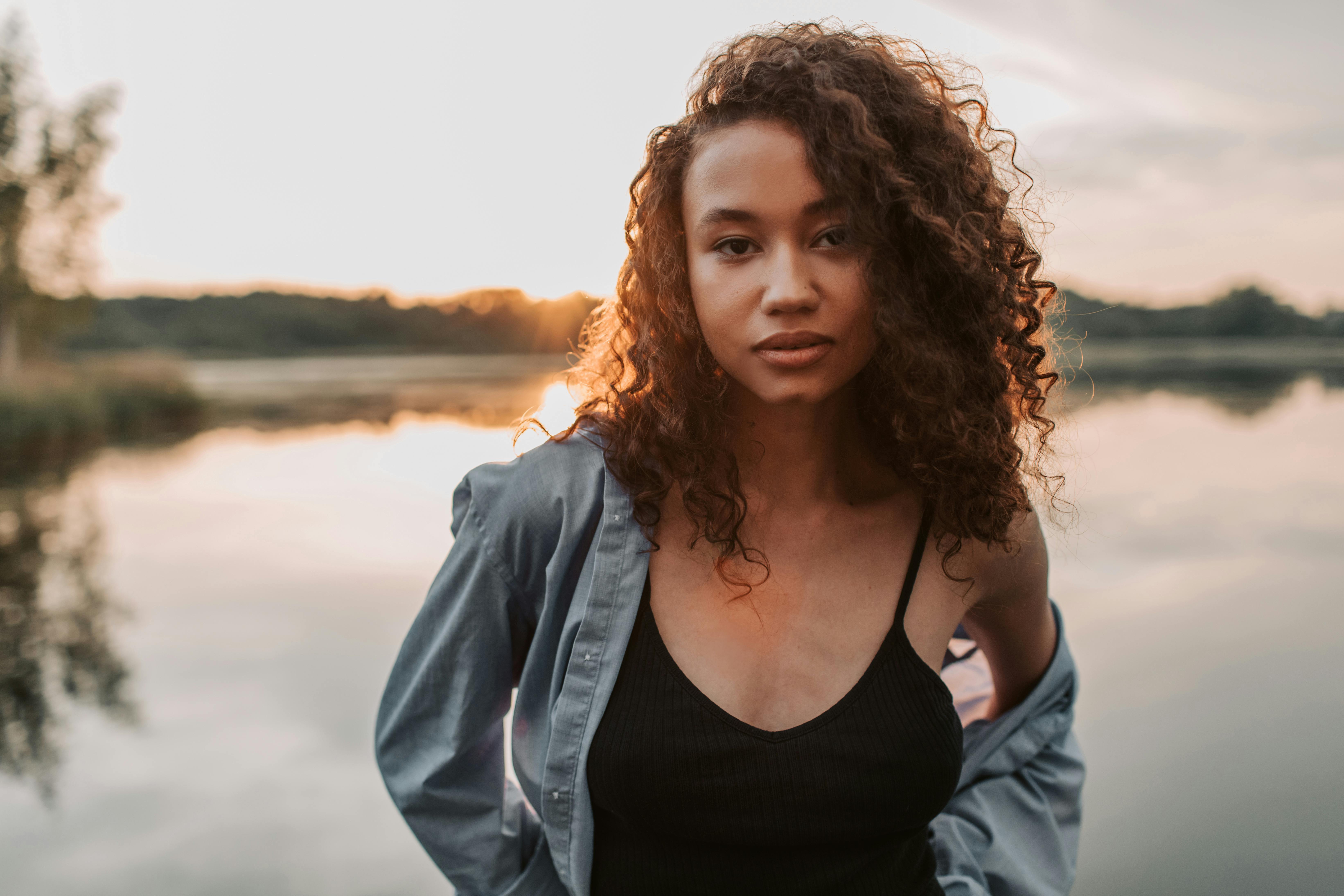
Editing recipe:
-
Exposure/Contrast: modest adjustments — avoid extreme clipping
-
Tone curve: slight S-curve with gentle shoulder roll-off
-
HSL: slightly push oranges (skin) and mute greens/blue depending on stock
-
Grain: add fine, even grain (8–20)
-
Color grade: emulate specific stock — e.g., Portra: warm highlights, soft reds/oranges; Ektar: vivid greens/blues with high saturation; Fuji: pastel-ish greens/teals.
Preset/AI approach: Load a film-profile (or AI film profile) and tweak per image. Use skin-protect masking.
Best for: Editorial, travel, emotional portraiture.
Modern
4) Clean & Minimal — neutral WB, low clutter, crisp edges
Essence: Minimalism: neutral colors, negative space, sharpness, minimal distractions.
Visual traits: Neutral white balance, low noise, high clarity, sparse compositions.
Shooting tips: Use plain backgrounds, controlled studio light or clean natural light, simple wardrobe/props. Low ISO.
Lighting: Softbox/flat lighting for products; window light for lifestyle with clean shadows.
Composition: Rule of thirds, centered subjects, lots of negative space.
-jpg.jpeg?width=6120&height=4080&name=pexels-photography-maghradze-ph-1659410-18800076%20(1)-jpg.jpeg)
Editing recipe:
-
Exposure: accurate to subject
-
Whites/Highlights: keep bright but controlled
-
Clarity: +5–15 (for crispness)
-
Texture: +5–10
-
Vibrance/Saturation: neutral or slightly reduced
-
Remove distractions via retouching
Preset/AI approach: Use neutral profile + precise local adjustments (spot removal, sharpening).
Best for: Product, architecture, corporate, portfolios.
5) High Contrast — punchy blacks / whites, pop
Essence: Maximize impact — strong tonal separation, clarity, punch.
Visual traits: Deep blacks, bright highlights, sharp detail, often high saturation or selective punch.
Shooting tips: Use directional hard light, rim light or studio strobes. Groom subjects for crisp edges. Low haze.
Lighting: Hard light sources or strong side/backlight to create separation.
Composition: Bold framing, symmetry, strong poses for fashion.
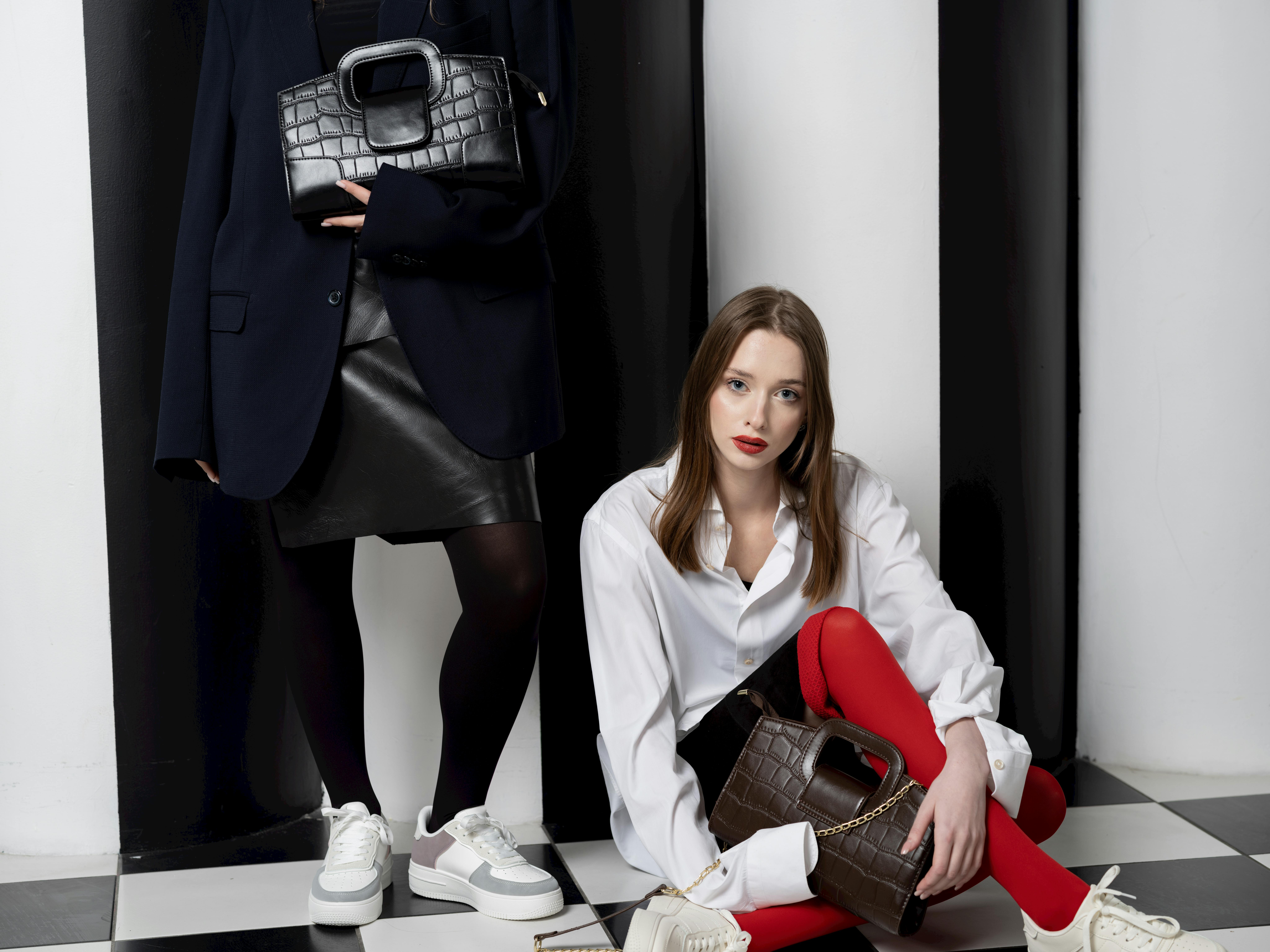
Editing recipe:
-
Contrast: +25–60
-
Blacks: lower to deepen shadows
-
Whites: raise to add pop (careful with clipping)
-
Clarity/Texture: +15–40
-
Dehaze: +5–15 for punch
-
Sharpening: higher than usual
-
Consider B&W conversion for dramatic effect
Preset/AI approach: Use high micro-contrast profile; mask skin to avoid harshness.
Best for: Fashion, beauty, ads, hero product shots.
6) Light & Airy — lifted shadows, soft highlights
Essence: Bright, breathable, gentle — the “wedding & lifestyle” staple.
Visual traits: Soft highlights, bright backgrounds, pastel-ish tones, low contrast.
Shooting tips: Shoot in open shade, window light, or during overcast/early golden hour. Use fill to lift shadows.
Lighting: Soft, diffused, wide light sources. Reflectors help.
Composition: Soft poses, flowing lines, emotional connection.
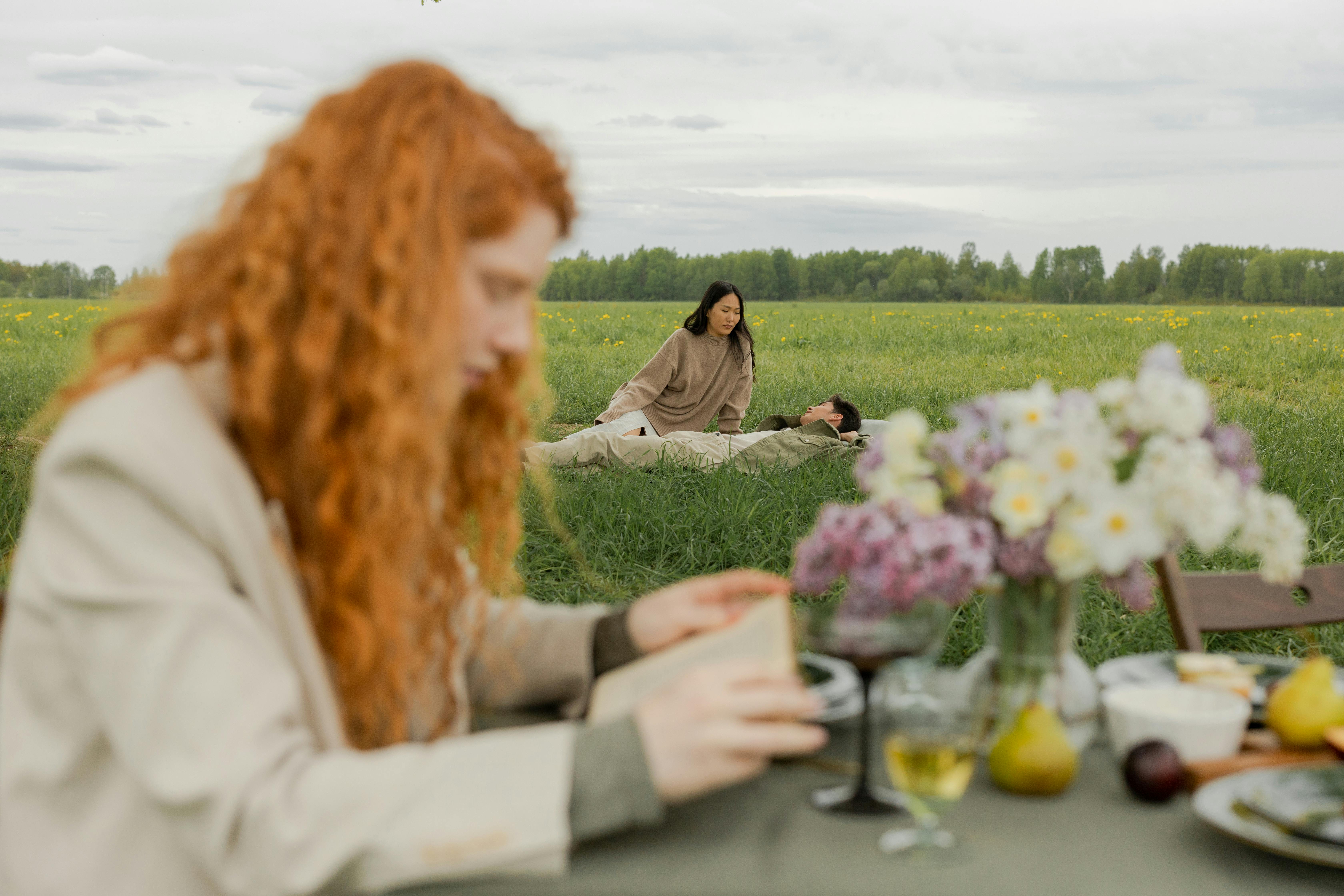
Editing recipe:
-
Exposure: +0.2 to +0.8
-
Contrast: -5 to +5 (low)
-
Highlights: -20 to -40
-
Shadows: +30–60 (lifted)
-
Whites: +10–20 (bright background)
-
Vibrance: +5–15, Saturation: neutral
-
Tone curve: gentle S or lifted blacks (matte)
-
Add slight warmth to midtones (orange hue)
Preset/AI approach: Use “airy” profile; prioritize skin smoothing and soft overall curves.
Best for: Weddings, newborns, lifestyle.
7) Dark & Moody — deep shadows, restrained highlights
Essence: Cinematic, intimate, painterly. Use darkness to focus attention.
Visual traits: Low-key exposure, rich shadows, muted highlights, earthy color tones.
Shooting tips: Use single-source window light, low-key strobes, or directional flash. Underexpose slightly.
Lighting: Controlled, directional, often rim or short light. Avoid full fill.
Composition: Tight framing, selective focus, texture and layers.
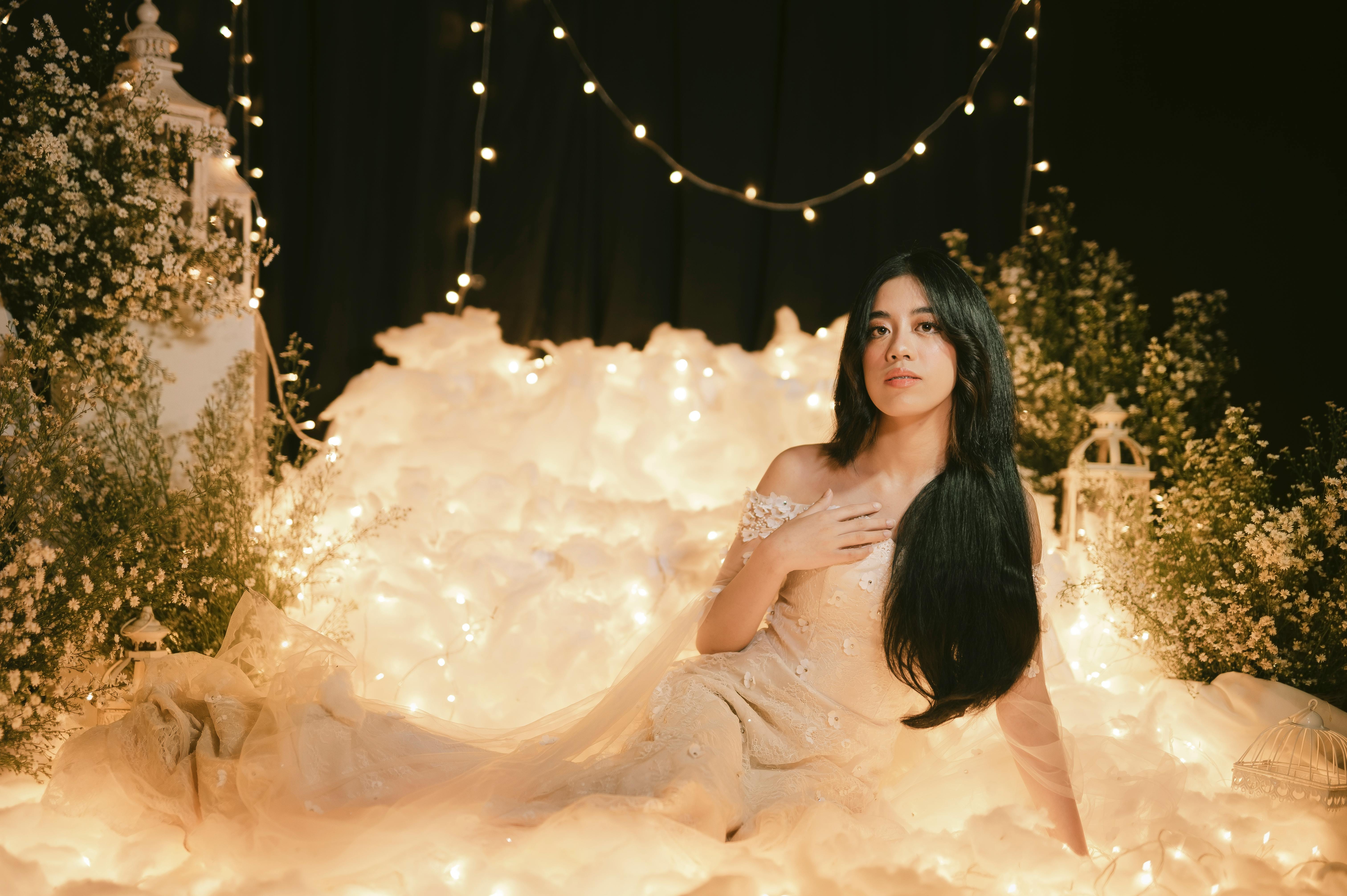
Editing recipe:
-
Exposure: -0.3 to -1.0 (low key)
-
Contrast: +5–20 (but keep highlights controlled)
-
Highlights: -30 to -70
-
Shadows: -10 to +10 (preserve texture)
-
Blacks: push down for depth
-
Vibrance: -10 to -30; Saturation: adjust per color needs
-
Split toning: warm highlights / cool shadows or vice versa for mood
-
Add subtle vignette and grain
Preset/AI approach: Use low-key profile; local dodge/burn to guide the eye.
Best for: Fine art portraits, fashion editorials, moody food photography.
8) Cinematic — controlled saturation, filmic contrast & color separation
Essence: Wide, cinematic color separation and contrast with story-driven palette and letterbox framing potential.
Visual traits: Controlled, often teal/orange or muted palettes, filmic grain, smooth highlight roll-off.
Shooting tips: Think like a cinematographer: light for separation, use wide aspect ratio compositions, and include negative space for story. Use wider lenses for environment, or medium for portrait drama.
Lighting: Motivated lighting (light looks like it belongs in the scene), rim/backlight for separation.
Composition: Leading lines, layered foreground/midground/background, cinematic crop (2.35:1 feel).
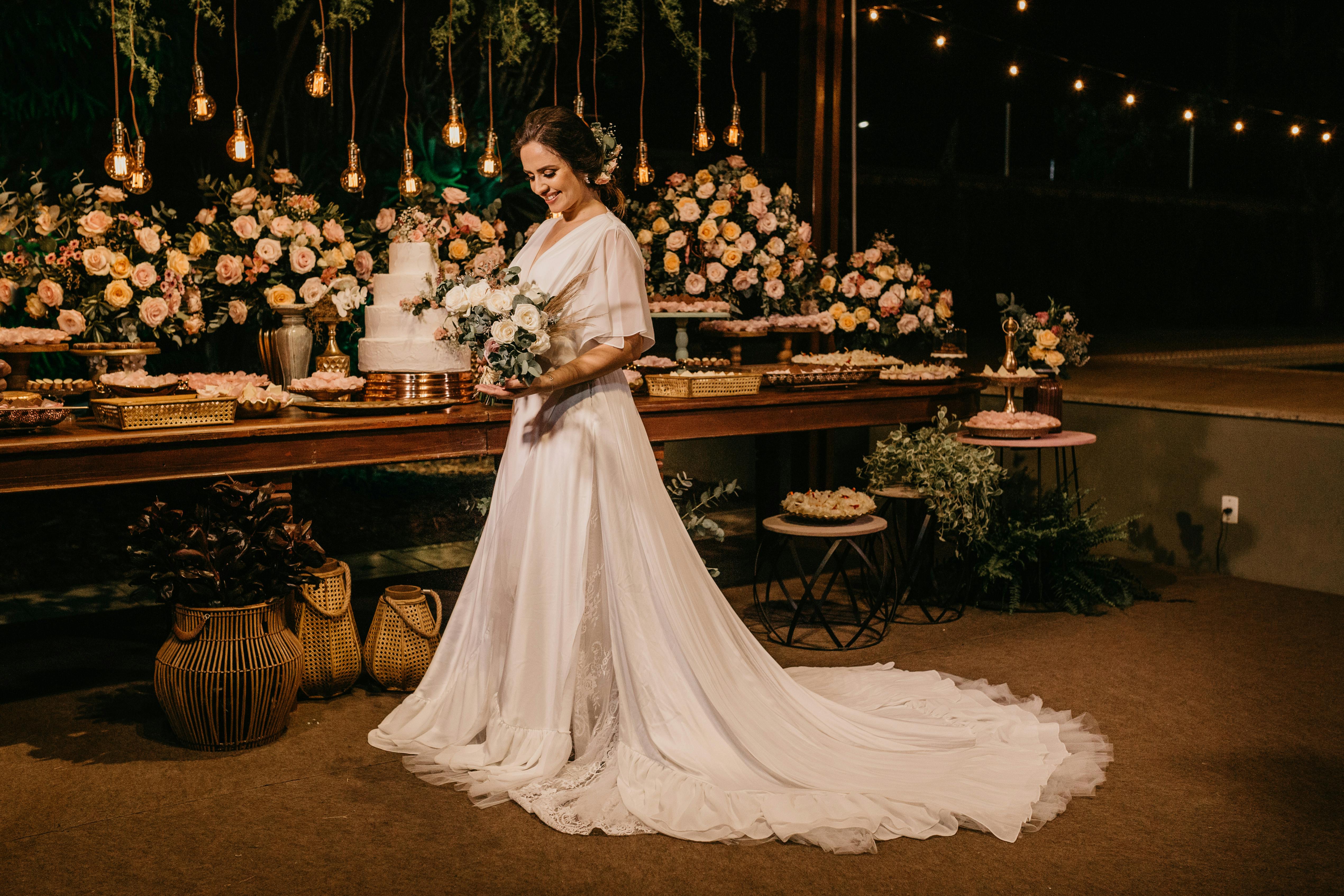
Editing recipe:
-
Tone curve: gentle filmic S-curve
-
Color grade: push blues/cyans in shadows and warm oranges in mid/highs (teal-orange split)
-
Saturation: moderate, control skin tones separately
-
Add fine grain and subtle vignette
-
Consider LUTs for consistent filmic color across a series
Preset/AI approach: Use cinematic LUTs or AI film LUT adaptation, tweak per image for skin accuracy.
Best for: Portraits, travel, weddings with a dramatic story arc.
Creative
9) HDR-Style Balance — extended dynamic range look (use tastefully)
Essence: Prioritize detail in shadows and highlights — an hyper-real but controlled dynamic range. Use sparingly.
Visual traits: Smooth detail across extremes, slightly surreal clarity, but with natural-looking tones if done well.
Shooting tips: Expose for highlights and use bracketed shots if possible; shoot RAW. Tripods help for landscapes/interiors.
Lighting: Any; technique compensates for extreme ranges.
Composition: Landscape, interiors, architecture benefit most.
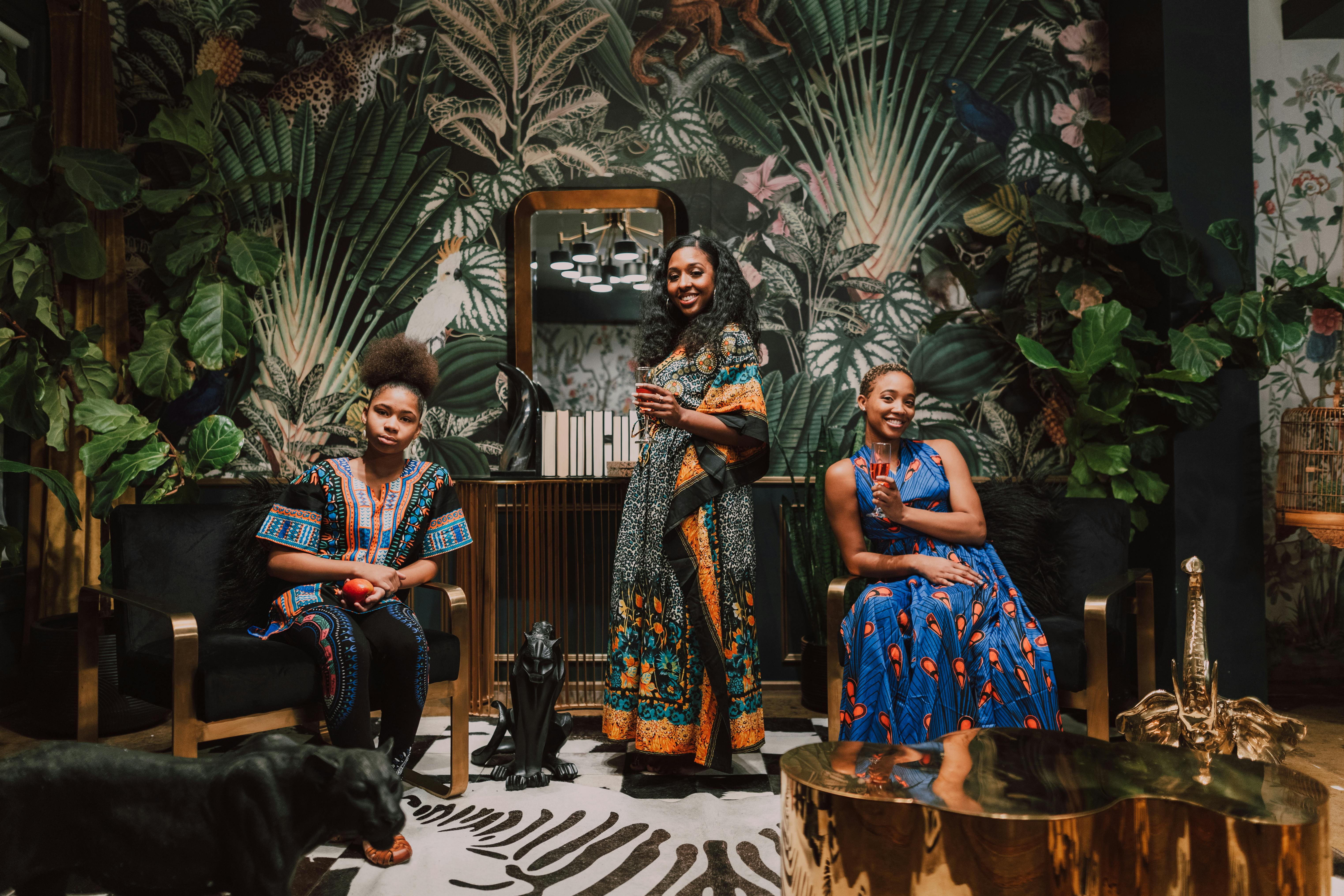
Editing recipe:
-
Merge exposures or use highlight recovery + shadow lift
-
Clarity/Texture: +10–30 (but avoid haloing)
-
Dehaze: +5–15
-
Local contrast masking to keep natural edges
-
Avoid overcooked HDR look — maintain realistic color balance
Preset/AI approach: Stack exposure merges or use AI HDR with natural tone mapping.
Best for: Landscapes, interiors, architecture.
10) Matte — lowered contrast, soft roll-off
Essence: Soft, contemporary feel with lifted blacks and gentle contrast for a cinematic matte finish.
Visual traits: Flat-ish blacks, gentle highlights, soft overall contrast, pastel-ish feel.
Shooting tips: Shoot with controlled lighting and textures that benefit from softness (fabric, skin).
Lighting: Soft directional light or overcast conditions.
Composition: Works well with fashion editorials or lifestyle imagery where mood matters.
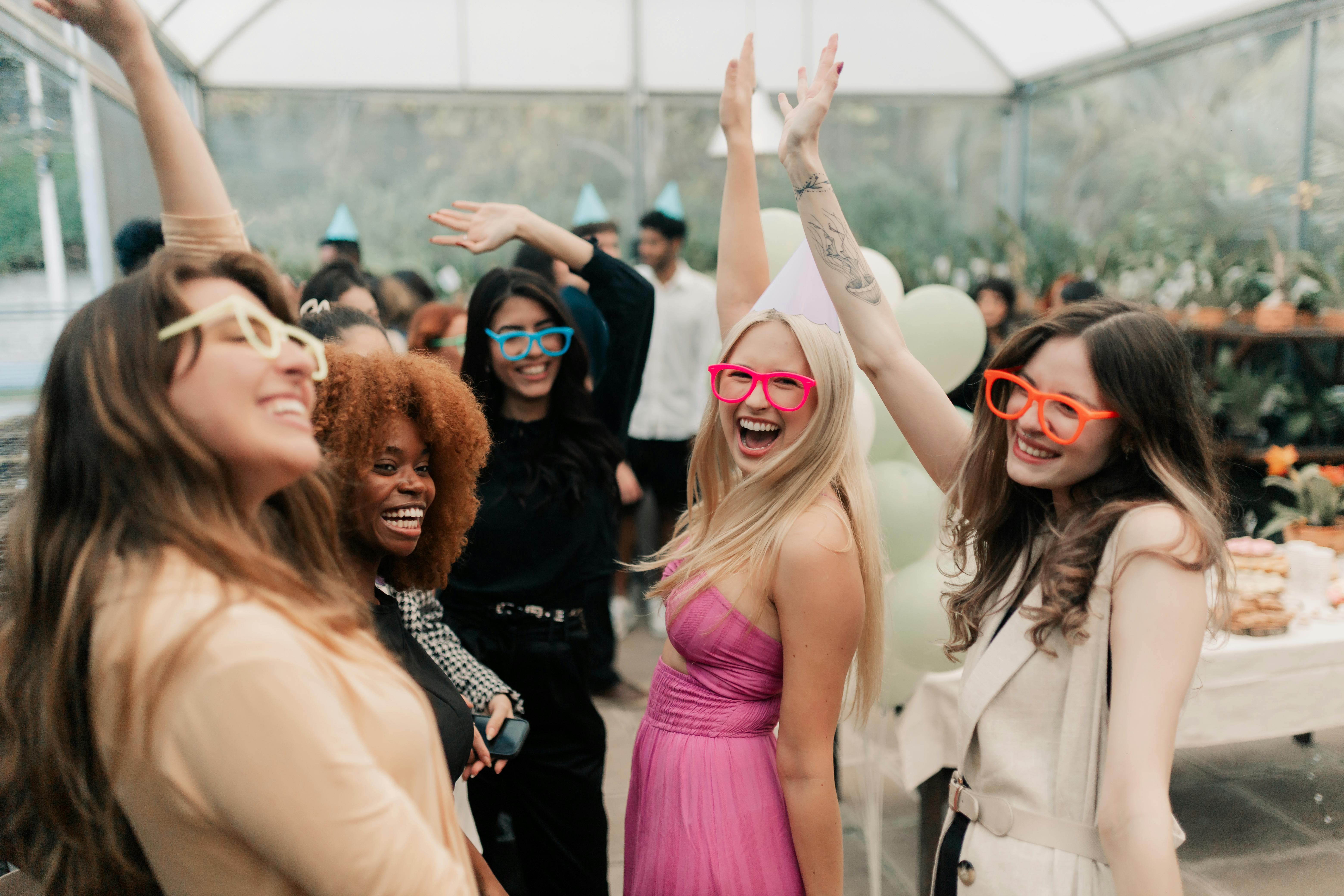
Editing recipe:
-
Tone curve: lift blacks (raise lower-left of curve) for matte
-
Contrast: -5 to +5 depending on need
-
Highlights: -10 to -40
-
Shadows: +10 to +30
-
Desaturate slightly or use HSL to mute specific colors
-
Add fine grain for texture
Preset/AI approach: Matte LUT or profile; maintain skin tones separately.
Best for: Fashion, editorial, lifestyle.
11) Surreal — composite / manipulation / dream logic
Essence: Conceptual, imaginative, impossible made believable. Requires technical compositing and strong storytelling.
Visual traits: Levitation, double exposure, impossible scales, odd color grading, dreamlike lighting.
Shooting tips: Plan the composite — shoot plates with correct lighting and perspective, use consistent color casts, capture shadow plates. Shoot against greens/solids for easy masking when needed.
Lighting: Match lighting across elements; consider rim light to separate subjects.
Composition: Symbolic, intentional negative space, repeated motifs.
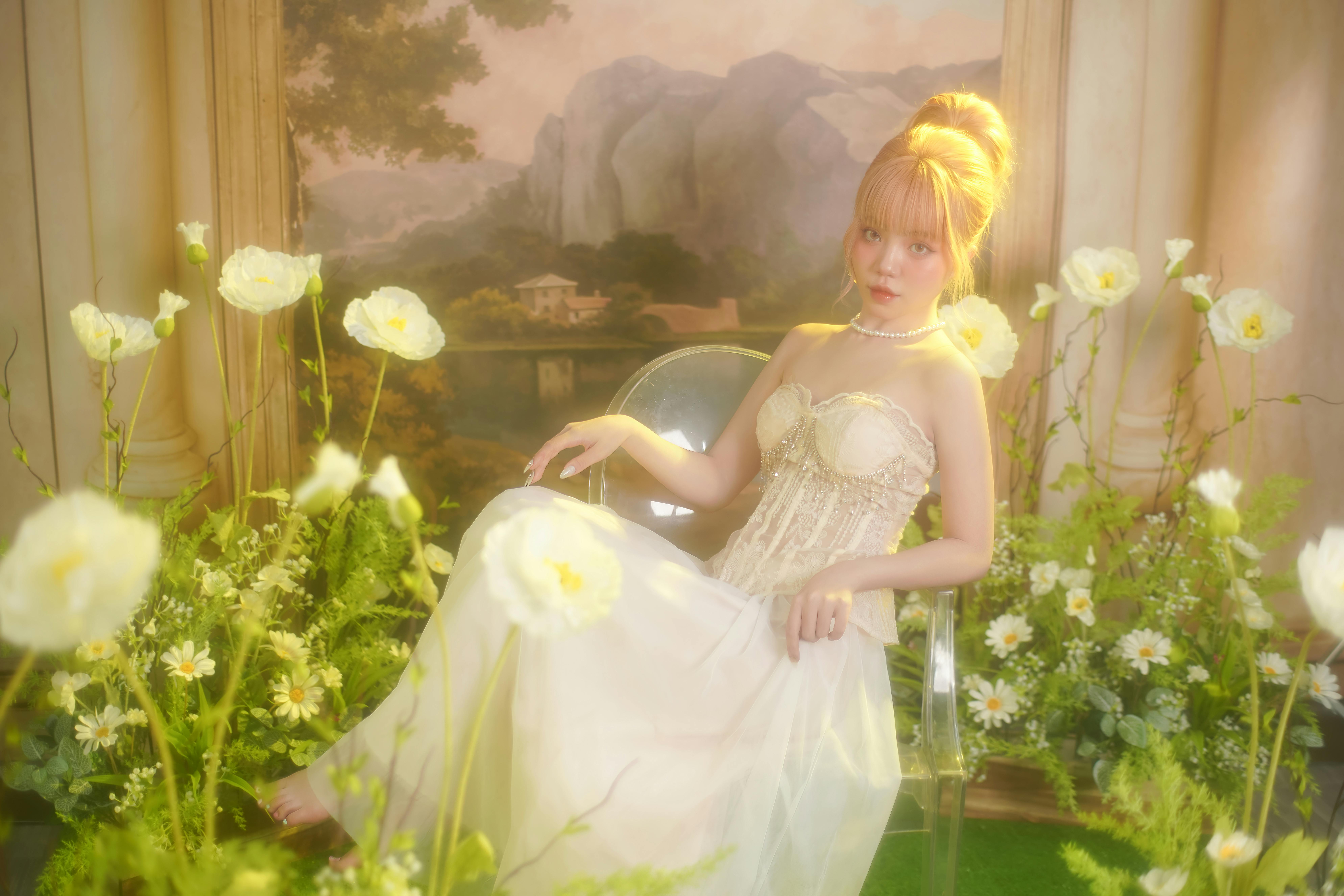
Editing recipe / workflow:
-
Clean extraction (masking) and perspective matching for each plate
-
Color match layers (match luminance + color temperature)
-
Add shadow and ambient occlusion for realism
-
Selective color grading to unify the scene (cool the background, warm the subject or vice versa)
-
Final touches: dodge & burn, grain/blur to match depth of field, glow for dream elements
Tools: Photoshop compositing, Blender for 3D elements, advanced masks and camera raw adjustments.
Best for: Personal art, album covers, conceptual campaigns.
12) Selective Color — B&W base with color focal points
Essence: Remove color everywhere except a specific element to create a graphic focal point.
Visual traits: Desaturated frame with one saturated object popping (red umbrella, colored dress, eye color).
Shooting tips: Use contrasting colors and clean backgrounds; plan for the color you’ll keep during shoot (subject wearing distinct color helps). Shoot in RAW.
Lighting: Neutral so color isolation reads clearly.
Composition: Keep the colored subject isolated or framed to be unmistakable focal point.
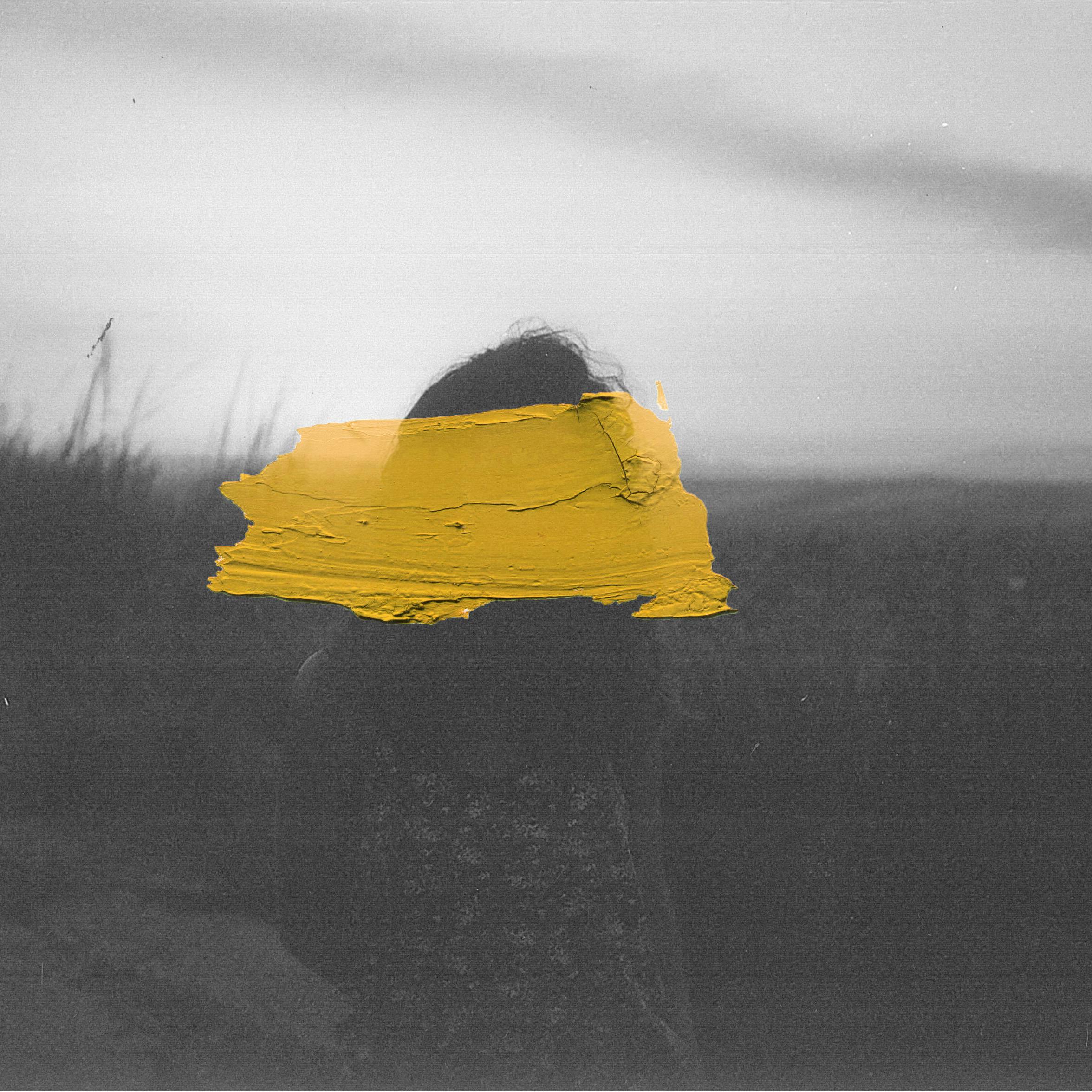
Editing recipe:
-
Convert to B&W or massively desaturate global color
-
Use masks or range selection (HSL/Color Range in Photoshop) to bring back the chosen hue(s)
-
Refine mask edges; add slight color boost to the retained color for impact
-
Adjust contrast and clarity to ensure the colored element feels natural in a B&W world
Preset/AI approach: Use selective color tool or AI mask by color hue for speed.
Best for: Product accents, editorial statements, portraits with symbolic color.
AI Editing Profiles vs Presets: Why Adaptivity Wins
Presets stamp fixed values → lots of manual tweaks.
FilterPixel AI Editing Profiles act like smart presets that analyze each image’s exposure/WB/context first, then apply your look adaptively. Result: consistent galleries across changing scenes—fewer touch-ups, faster delivery.
Why photographers love it
- Adaptive, scene-aware decisions
- Cross-device/team consistency
- Portable .fp file you can export & share
- Sharable → sellable (hello, new revenue stream)
Create, Export & Import AI Profiles in FilterPixel
- A) Create Your Profile
- Open FilterPixel → Profiles
- Create New Profile → train with final edits from 3–5K images (mixed light/cameras)
- Name clearly: “Studio Neutral 2025 v1.2”
- B) Export It
- Select profile → Export AI Profile → get a small .fp file
- Add preview JPEGs + README if you plan to sell
- C) Import One
- Profiles → Import AI Profile → upload .fp → apply instantly on your next project
Bonus: Offer early buyers free updates for 6 months to build loyalty.
Monetize Your Style: Packs, Licensing, Workshops
- Style Packs (single or bundles): $19–$79 / pack
Ex: 50 sales × $39 = $1,950 from one drop - Client Add-On: Brand Style Setup ($99–$299)
- Creator Bundles: AI profile + mini workshop/tutorial
- Studio Licensing: Per seat or included in team packages
Checklist for sale-ready packs
- .fp profile file(s)
- 6–10 before/after images
- Use guide (lighting/genre fit, do/don’t)
- Friendly license (single user; no redistribution)
A Repeatable Pro Workflow (Cull→Route→Batch→QA)
- Cull fast → reject blink/blur/dupe.
- Route into three buckets:
- A — Hero Retouch: marquee images (local D&B, detail polish)
- B — AI Fixes: targeted issues (glare/crease/object removal, shadow lift)
- C — General Batch: 70–90% of the set → apply your AI profile
- A — Hero Retouch: marquee images (local D&B, detail polish)
- Anchor per scene → perfect 1–3 frames; propagate.
- QA grid → check WB/contrast jumps; nudge outliers.
- Export web + print sets; keep color management consistent.
FAQs
Will my AI profile work across camera brands?
Yes—it adapts. Extreme lighting/exotic sensors may need tiny tweaks.
How many images to train?
Minimum 3,000; 5,000 mixed-light is better.
Can I keep multiple styles?
Absolutely—weddings, studio portrait, corporate, sports, etc.
Can I undo profile changes?
Yes. Profiles are non-destructive and reversible.
Can I share with my team?
Export once; import across editors/machines for consistent delivery