

The CEO wants the photo in ten minutes. There are 140 people milling around a hotel ballroom. Half are checking their phones, a quarter have already left for the break, and the event planner is mouthing "hurry" from behind the podium. You fire 50 frames. Somewhere in that burst is the one shot where every single person has their eyes open and their face aimed at the lens.
You have to find it before the same-day delivery deadline. That's the real job.
This guide covers everything from pre-event shot lists to directing groups of 200 — and how to survive the culling aftermath when you're staring at a thousand near-identical frames on a deadline.
Why Group Shots Are the Bottleneck
Group shots are not technically difficult. Your exposure is locked, your composition is fixed, and everyone stands still. The difficulty is human: blinks, wandering eyes, mid-sentence mouths, the person in row three who looked away at exactly the wrong moment.
The math is merciless. In a group of 20 people, if each person blinks roughly once every 4 seconds and your shutter fires for 1/200th of a second, the probability that at least one person is blinking in any given frame is staggeringly high. By the time you reach 50 people, a clean frame is a statistical event — not a guarantee.
So you do what every working photographer does: you overshoot. You fire 40, 50, 60 frames per group. Multiply that by 15 groups at a corporate event and you have 600-900 nearly-identical photos to sort through — before you've even touched the keynote coverage or the networking candids.
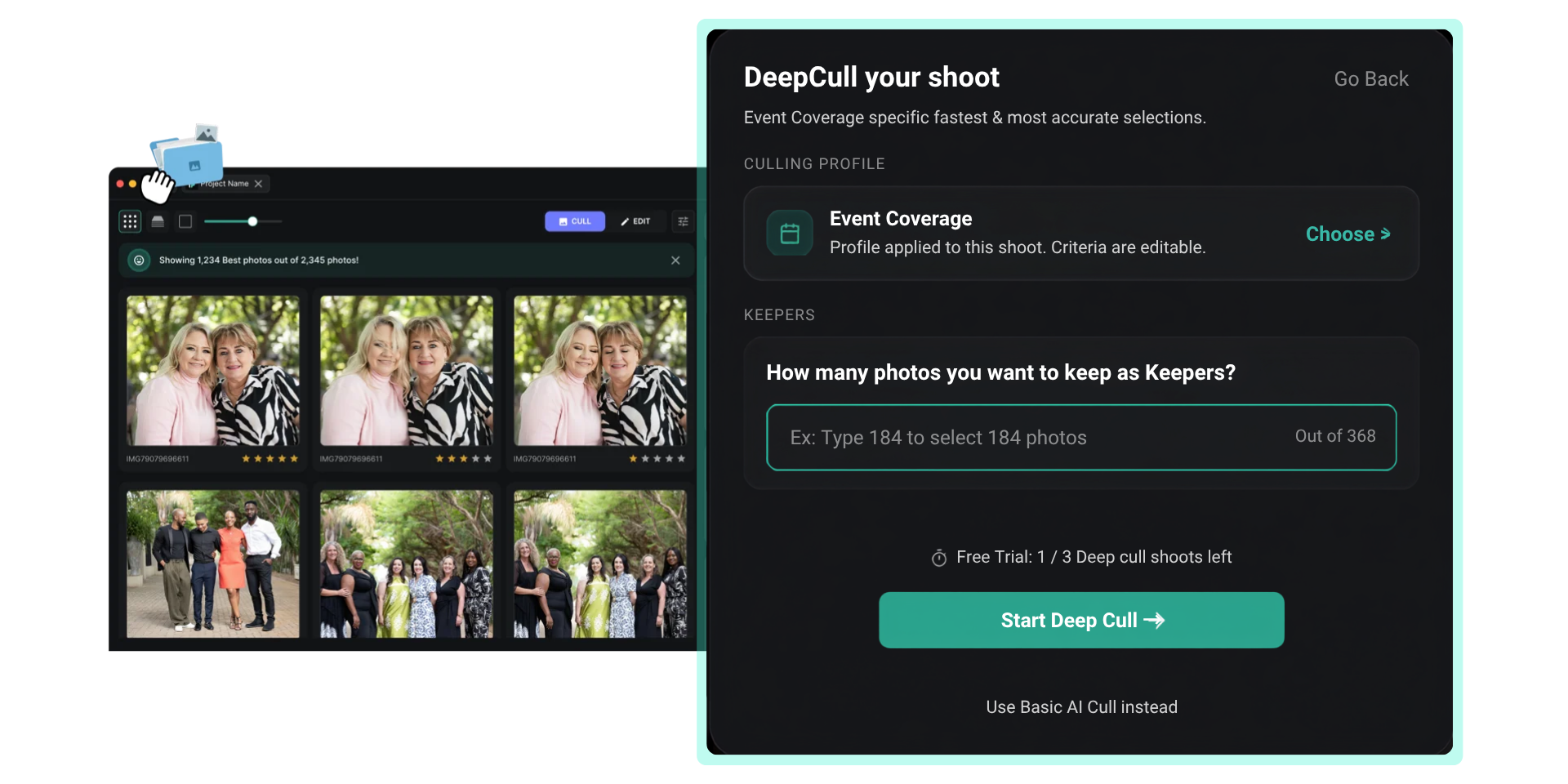
The bottleneck isn't the shoot. It's the cull. Finding the one clean frame in a stack of 50 identical group shots, repeated for every group, is the single most time-consuming part of corporate event photography. This is exactly the problem DeepCull was built to solve — it analyzes every face in every frame and surfaces the shot with the most open eyes and natural expressions.
Pre-Event: Building the Shot List
The shot list is your contract with the client. Without it, you're guessing which groups matter — and you'll miss the one the CEO cared about most.
Essential Groups for Corporate Events
- Full company or full attendee group — the hero shot, usually needed for annual reports or press
- Executive leadership team — CEO, C-suite, board members (highest-priority, least patience)
- Department or division teams — often 8-30 people each
- Award recipients — individual and group with presenter
- Speaker panels — on-stage groupings
- Sponsor groups — the people paying for the event want their photo
- New hires, interns, cohorts — often forgotten, always wanted later
Request this list from the event organizer at least 48 hours in advance. Push for names attached to each group so you can confirm attendance on-site. Budget 15 minutes per group of 30+ in your timeline — clients always underestimate how long group shots take.
Timeline Planning
| Group Size | Setup Time | Shooting Time | Frames to Shoot |
|---|---|---|---|
| 5-10 people | 2-3 min | 2 min | 15-20 |
| 11-30 people | 5-7 min | 3 min | 20-30 |
| 31-80 people | 10-15 min | 5 min | 30-50 |
| 80-200 people | 15-25 min | 5-8 min | 40-60 |
The frame counts above aren't suggestions — they're minimums for ensuring you have at least one clean shot. More faces means more frames. There's no shortcut around probability.
Directing Techniques by Group Size
Small Groups (5-10 People)
You can address everyone individually. Stand them in a slight arc rather than a flat line — it feels more natural and keeps edge distortion in check if you're shooting wide. Place the most important person (CEO, honoree) in the center. Make eye contact with each person before you shoot.
Direction: "Everyone look at me, lean in slightly, big smiles — and hold it." Fire 15-20 frames in 5-6 seconds. You're done.
Medium Groups (11-30 People)
This is where row management begins. Two rows for 11-18, three rows for 19-30. Stagger heads — nobody directly behind someone else. The back row stands, middle row on risers or chairs, front row seated.
Project your voice or use the venue PA. Give a clear countdown: "On three, everyone look here and smile — one, two, three." Start shooting on "two" and don't stop until well after "three." The best frame is almost never the one on the count — it's 1-2 seconds after, when people relax into a natural expression.
Large Groups (31-80 People)
You need elevation. Shoot from a balcony, a ladder, or stairs. If the venue has tiered seating, use it. Direct people into rows by physically walking the line: "Everyone in this row, take one step back. This row, sit down."
Assign a helper — an assistant or even the event planner — to watch the back rows while you direct from the front. The most common problem with large groups isn't the faces you can see; it's the person in row five who's turned sideways talking to a colleague.
Massive Groups (80-200 People)
At this scale, you're managing a crowd, not individuals. Elevation is non-negotiable — ideally a second-floor balcony or a drone (check venue permissions). Use a PA system. Give absurdly simple instructions: "Everyone face me. Everyone smile. Hold it."
Fire continuously for 10-15 seconds. You'll get 40-60 frames at 4-5 fps. The decisive frame is in there — buried somewhere in the middle of the burst, in the 2-second window after people settle but before they start fidgeting.
Reality check: At 150 people, you will not get a frame where literally every person looks perfect. Your goal is the best possible frame — the one with the most eyes open and the fewest distractions. This is precisely the kind of ranking that AI culling excels at. DeepCull scores every face in every frame and ranks your burst so the top result is the statistical winner.
Expression Management: Getting Real Smiles
Corporate attendees default to one of two modes: the frozen grimace or the blank stare. Neither photographs well.
Techniques That Work
- The countdown laugh: "On three, everyone say 'bonus!' — one, two, three!" The absurdity gets a real laugh on the beat.
- The hold-and-release: "Okay, serious faces first." (Shoot one frame.) "Now the real one — big smiles!" People relax after the tension release.
- The compliment: "This group actually looks great — hold that." Simple validation keeps people from shifting.
- The double-take: "Got it! Actually, one more — that was too good." People drop their guard on the "extra" shot, which is often the real keeper.
Eyes-Open Management
You cannot direct 50 people to keep their eyes open. It's involuntary. Instead:
- Over-light slightly. Flash triggers a pupil response that keeps eyes open for a brief moment after the pop.
- Ask people to close their eyes, then open on your count. "Close your eyes. On three, open and smile. One, two, three!" This synchronizes the blink cycle so everyone's eyes are open simultaneously for 1-2 seconds.
- Shoot more frames. There is no hack that replaces volume. With 50 frames, probability is on your side.
Gear Setup for Group Shots
Lenses
For groups under 20, a 35mm on full-frame works well — wide enough without distortion. For larger groups, go 24mm but keep people away from the extreme edges. A 70-200mm from a balcony is ideal for massive groups — compression flatters faces and eliminates wide-angle stretch.
Lighting
Two speedlights at 45 degrees, bounced off a white ceiling, covers groups up to 30. Beyond that, bring strobes with large modifiers — 60" umbrellas or 4x6' softboxes. Even coverage across 200 people requires multiple light sources. Always test-fire before assembling the group.
Camera Settings
- Aperture: f/5.6-f/8 for groups deeper than two rows. You need the depth of field.
- Shutter speed: 1/200s (sync speed) with flash, 1/125s minimum without.
- ISO: Whatever gets you to proper exposure. Noise is fixable; motion blur isn't.
- Drive mode: Continuous high. You need the burst.
The Post-Event Crunch: Culling 50 Identical Frames Per Group
You shot the event. You directed 18 groups. You fired an average of 40 frames per group. That's 720 near-identical group shots — plus 2,500 more from the rest of the event photography workflow.
Now you're sitting in the hotel lobby, laptop open, trying to deliver same-day selects. Going frame-by-frame through 720 group shots at 5 seconds each is an hour of pure pixel-peeping — zooming into faces, checking eyes, comparing nearly-identical expressions.
Manual Culling vs. AI Culling
| Method | Time per Group (50 frames) | 18 Groups Total | Accuracy |
|---|---|---|---|
| Manual (Lightroom flagging) | 4-6 minutes | 72-108 minutes | Subjective, fatigue-prone |
| AI culling (DeepCull) | 15-30 seconds | 5-9 minutes | Every face analyzed, ranked by open eyes + expression quality |
The difference isn't marginal — it's the difference between delivering selects at 10 PM and delivering them at midnight. For conference photography where the client expects same-day turnaround, that gap decides whether you get rebooked.
How DeepCull Handles Group Shots
DeepCull doesn't just flag duplicates. For group shots, it:
- Detects every face in every frame of the burst
- Analyzes each face for: eyes open/closed, expression quality, sharpness, head angle
- Ranks the burst by a composite score — the frame with the highest number of good faces rises to the top
- Flags technical rejects (motion blur, misfocus) so they never compete with clean frames
You still make the final call. But instead of scrubbing through 50 frames, you're choosing between the top 2-3. That's a decision you can make in seconds.
Workflow: From Venue to Delivered Gallery
- Pre-event: Get shot list, scout the venue, set up lighting test
- On-site: Shoot each group on the list, 30-60 frames per group, move fast
- Ingest: Dual card backup, import to laptop on-site
- Cull: Run through DeepCull — AI surfaces the best frame per group in minutes
- Edit: Batch color correction on selects, export for editing
- Deliver: Upload to client gallery, send link before end of event
The photographers who win corporate contracts aren't necessarily the best directors — they're the ones who deliver on time. If you can hand the event planner a gallery link while the attendees are still at the closing reception, you've earned the next booking.
Common Mistakes to Avoid
- Not shooting enough frames. 10 shots of a 50-person group is gambling. Shoot 50.
- Flat, straight-line compositions. Arc the group. Use elevation. Flat lines look like mugshots.
- Ignoring the background. Hotel ballroom backgrounds are busy. Simplify by shooting tighter or moving the group in front of a clean wall.
- Trying to direct during the shot. All direction happens before you raise the camera. Once you start shooting, just encourage: "Great, hold it, perfect."
- Skipping the test frame. Always fire a test shot with one person standing in position before assembling the group. Fix exposure and framing first.
Delivering Under Deadline
The moment is expiring. The event planner needs the hero group shot for the press release going out tonight. The CEO's assistant wants the executive team photo for the internal newsletter by morning. The sports photographer working the charity run next door has the same problem — too many frames, not enough time.
The difference between a corporate event photographer who works once and one who gets rebooked every quarter is turnaround. Not artistic vision. Not gear. Turnaround.
Build a culling workflow that removes the bottleneck. Direct well, shoot generously, and let AI find the winning frame while you pack up your lights.
The group shot where everyone's eyes are open exists in your card. You just need to find it before the deadline hits.
Frequently asked questions
How many shots should I take of each corporate group photo?
Three to five frames for groups under ten, and eight to twelve once you are past twenty people, because the probability that someone blinks rises with every additional face. Shoot in short bursts rather than single frames so you have adjacent options with the same expression and posture, and keep the framing identical across the set so selecting between them is a single comparison.
How do you direct a group photo of 100+ people at a corporate event?
Get height and get distance — a balcony, a staircase or a ladder solves more problems than any lens choice. Build the group from the back forward, place the tallest rows first, and give instructions in short declarative sentences that carry to the back without a microphone. Expect it to take longer than scheduled and protect that time on the run sheet; a rushed hundred-person shot is usually unusable.
What is the biggest bottleneck in corporate group photography?
Assembling the people, not photographing them. The frame takes under a minute; gathering twenty executives from three conversations takes fifteen. Build the shot list in advance, give a named person responsibility for producing each group, and schedule group shots immediately after a session ends while the room is still together rather than after a break has dispersed it.
How do you handle mixed lighting for group shots at conference venues?
Position the group so one light source dominates rather than fighting two, even if that means moving them across the room. Where you cannot, add your own light to take control of the foreground and let the background fall where it falls. Set a fixed white balance for the position and shoot raw, so a colour cast across the set becomes one batch correction rather than a per-frame fix.
What shot list should I prepare for corporate event group photos?
The executive team, each department or business unit, the speakers or panel, award recipients, sponsors with their branding visible, and any cross-company groups the organiser cares about. Confirm the list with the organiser in writing beforehand and have them nominate someone to physically produce each group, because a missing group photo is the complaint that outlives every other part of the coverage.
Can AI photo culling detect closed eyes in group shots?
Yes — blink and closed-eye detection is a standard part of FilterPixel's basic cull, and it is most valuable exactly here, where checking twenty faces across a dozen frames manually is slow and error-prone. The practical workflow is to let the AI surface the frames where every face is clean, then confirm the one you deliver yourself, since the final call on a group shot is worth making with your own eyes.