


Photography is a profession where first impressions matter. Having your website pop up on the front page of search engines matters greatly when getting gigs and impressing future clients.
To consistently and efficiently land more gigs, investing in SEO is not a bad idea!
Not many people know about SEO, which is why we’re here to tell you what it is and why it matters in the first place!
What is SEO?
Search engine optimization or SEO is the process of enhancing the quantity of traffic that goes into your website or web page.
Improving your SEO means improving your website as a whole since your SEO ranking is based on how well you have made your site.
Improving your SEO means improving your sales as a whole. Making your services look palatable to search engines is an excellent way to get more clicks from potential clients!
The main focus of search engine optimization is driving unpaid traffic into your website instead of paid traffic from ads.
Search Engine Rankings—How Do They Work?
Now that you have a general idea of what search engine optimization is— let’s talk about how search engines like Google rank websites in the first place.
When your website goes live, search engines like Google and Bing will identify your site and add it to their database.
This process usually takes a few days after your site goes live, and you get ranked based on how well-made your website is.
Factors such as your loading speed, mobile optimization, and the quality of your site’s content affect your ranking in the search engines.
Let’s take a closer look at one of the factors that make up SEO and how impactful it can be to get your website higher up in the ladder—SEO keywords.
Brainstorming Keywords
Use keywords that someone might type into the search bar to look for your work or services. These keywords can include your industry, niche, or even your location. Making a list of SEO keywords for photographers is the most efficient way you can brainstorm for them.
The sweet spot for brainstorming SEO keywords is between 10-15 words total.
But, then, using a combination of essential and specific keywords helps you ensure comprehensive coverage without getting drowned out in search engines!
An example of this would be to use essential keywords to start like “photography” and “images,” and then add specific keywords like “landscape photography” or “wedding photography.” Next, use your location or city in your keywords such as “California” or “Canada,” as well as the more specific services you offer like “graduation shoots” or “photography consultations.”
SEO Keywords—Finding The Right One For Your Photography Website
SEO keywords are phrases or words that a person might type in a search box to find pages and content related to a site.
Finding the right keywords to use for your photography website will make it easier to stumble into for individuals looking for your services!
Here are a few free tools for identifying and finding the right keywords for your website:
1. Google Keyword Planner
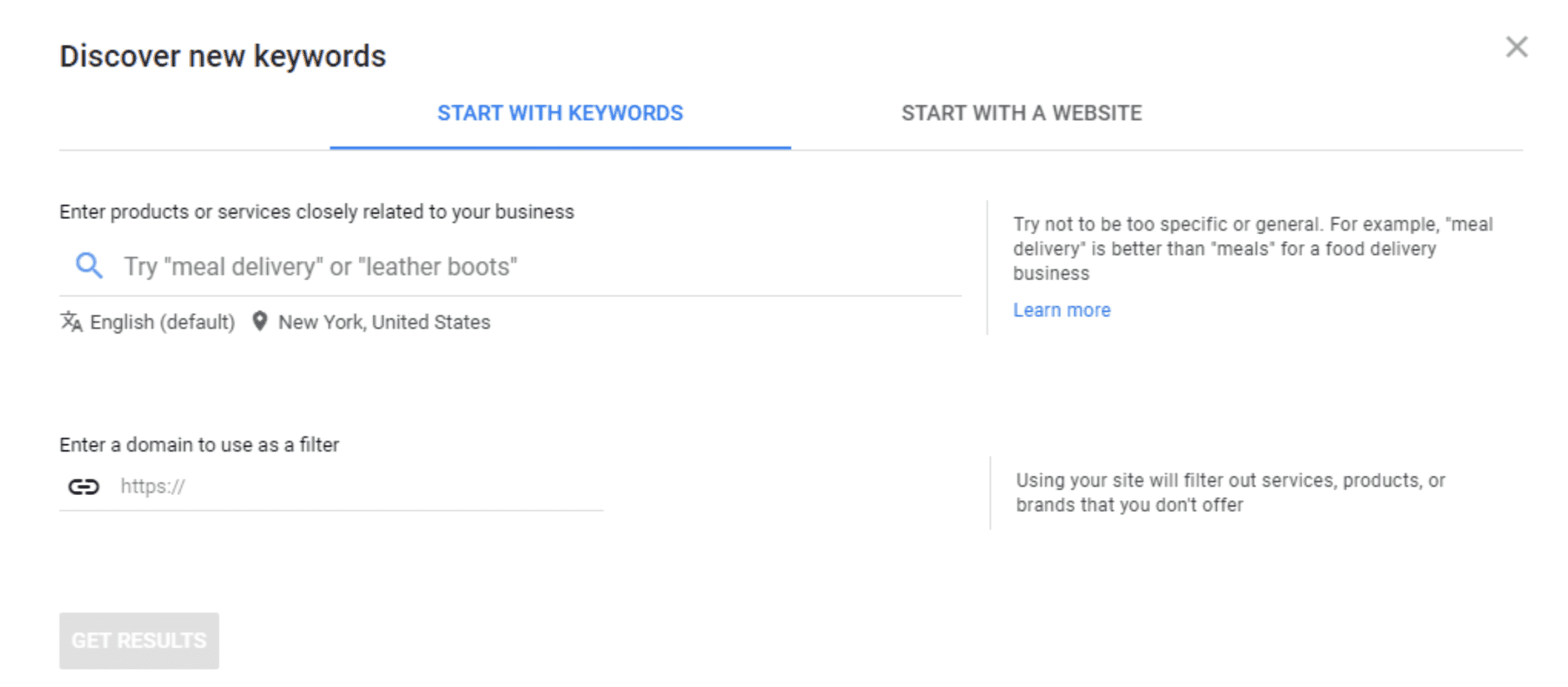
Google Keyword Planner is a free tool from Google that you can use to source keywords for your website. There are two ways to use the tool.
The first one is to start typing keywords on the search bar.
Then, make sure to add the location that you want to target for your content to ensure that you get the right keywords in your local area. See the image below.
For more details on how to use Google Keyword Planner, check this excellent guide
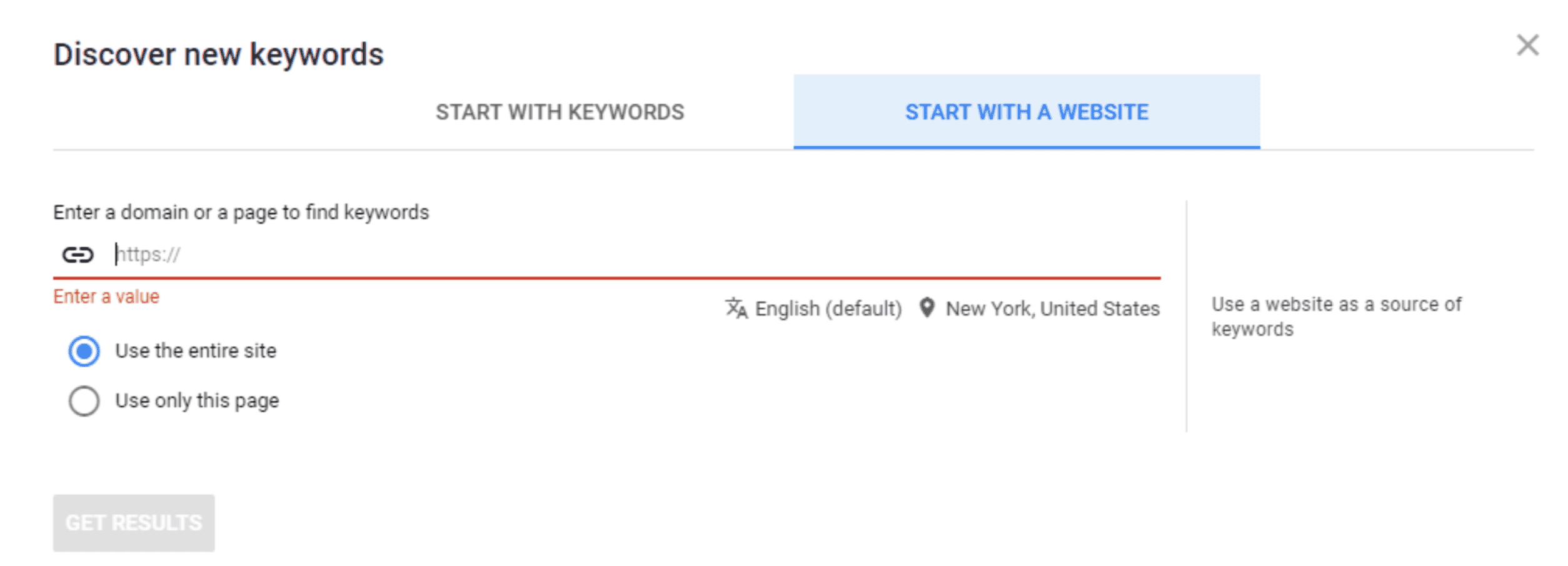
However, if you are starting to optimize your website, the best option is to look at your competitors’ keywords.
Enter your competitor’s domain to find out the high-ranking keywords that they have on their website. This will help arrive at an informed decision on whether or not the keyword is best for your website.
This will help arrive at an informed decision on whether or not the keyword is best for your website.
2. Google Trends
Google Trends is another great option, especially if you want to include trending topics in your new blog posts.
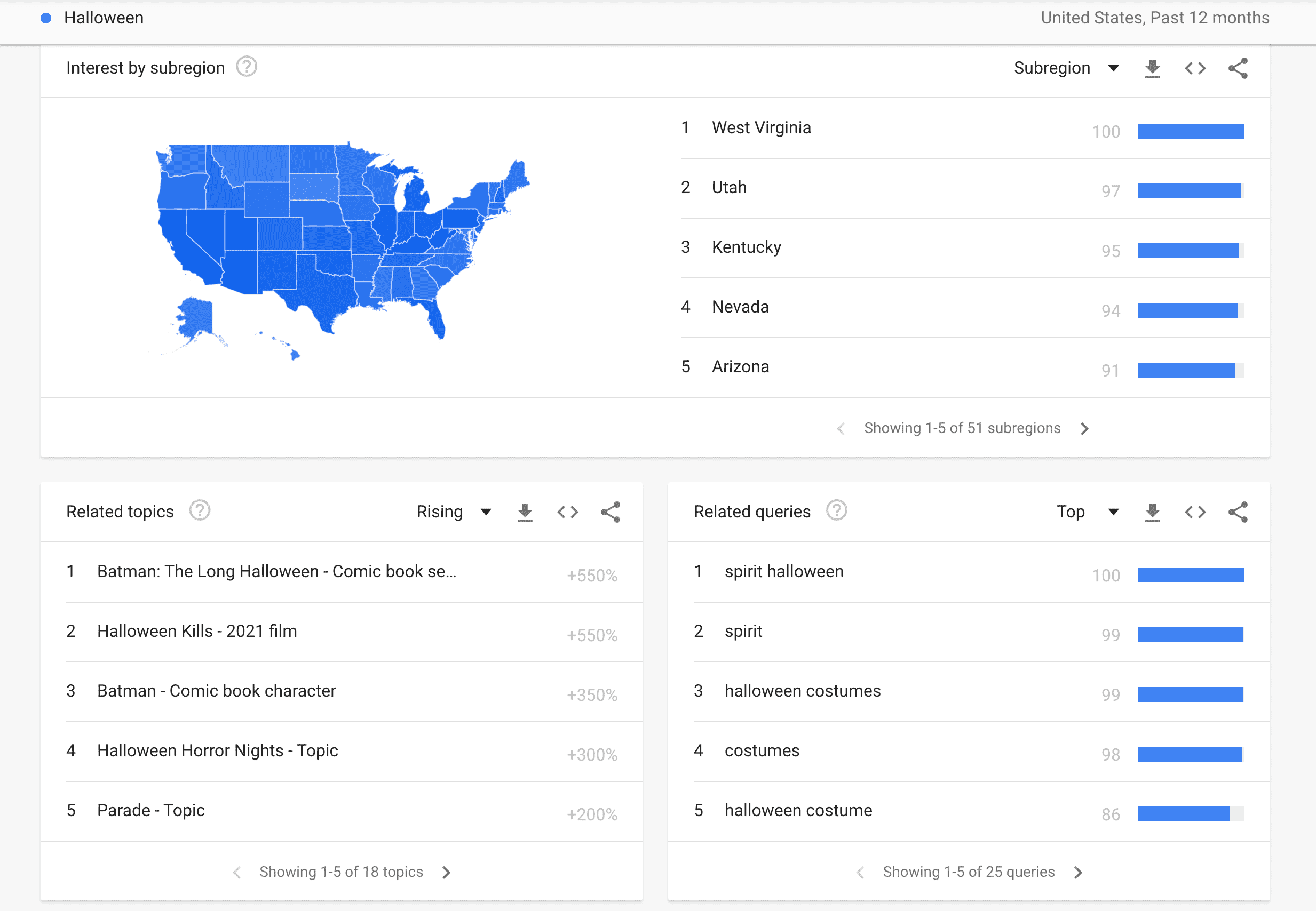
The tool works by letting you enter multiple topics or keywords, search by location, and even the historical trend of the topic.
For example: After searching for Halloween, you can get trending topics in your location as shown above in the “Related Topics” section
Unlike the Google Keyword Planner, Google Trends does not provide search or keyword search results. However, the critical use of this tool is that it can give you an idea of what topics are trending within your niche or industry.
3. Ubersuggest
Ubersuggest is another free online tool that you can use to find keywords for your posts and pages. It also provides the volume search for your keyword or keywords, which could help you form your long-tail keywords
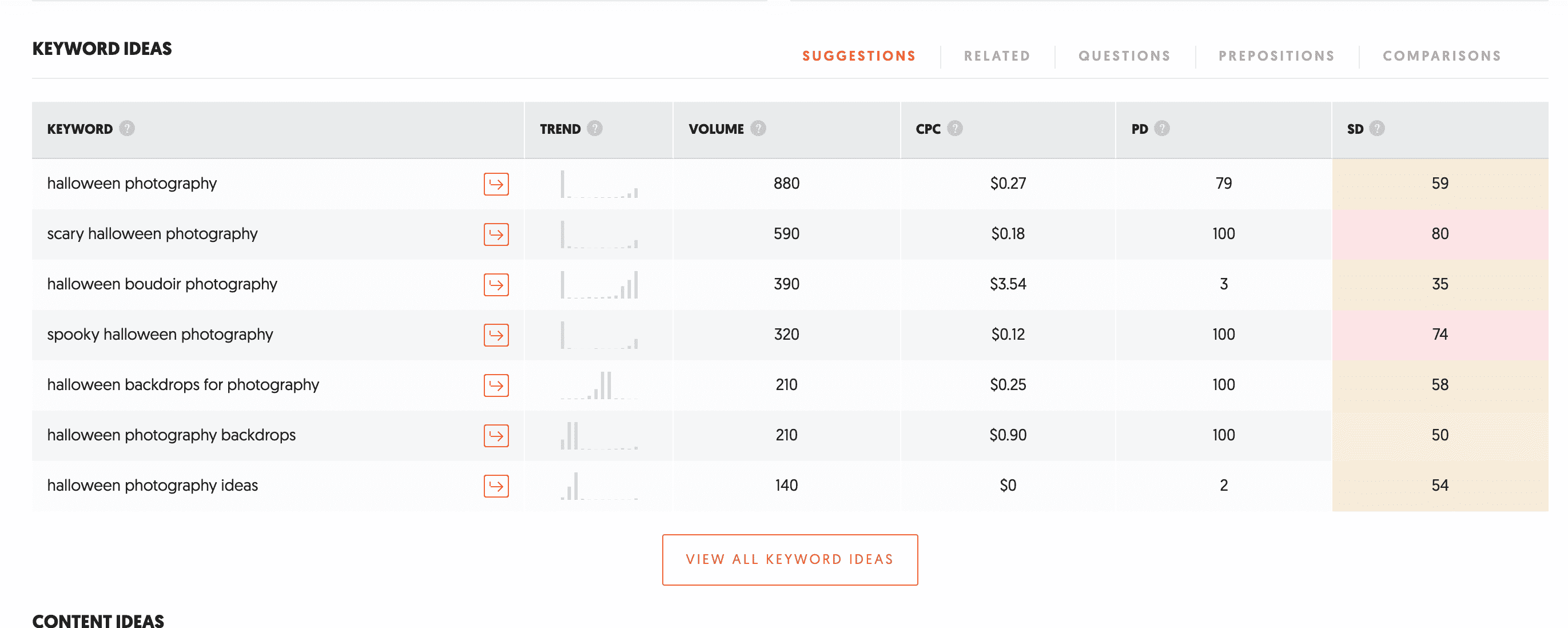
The tool provides three important aspects when creating content and optimizing content in your website, and these are the following:
- Keyword Overview provides the search volume, difficulty to rank in your search keyword, paid difficulty or ads competition, and cost per click for every Google ad.
- Keyword Ideas – this tab showcases the relevant keywords with your primary keyword or keywords. In addition, it provides related and suggested keywords and questions that you can use as headings for your content.
- Content Ideas – this is where you can view high-ranking page titles on search engines, Facebook, and Pinterest.
Don’t Overuse Your SEO Keywords.
Too much of everything can prove fatal, including putting too many SEO keywords on your website pages. On the other hand, cramming as many keywords as you can onto one page without focus can bring your Google ranking down and negatively affect your SEO.
Your efforts will be in vain if you overdo it.
Only having one to two keywords per page can help you avoid cluttering your website.
Prioritize quality over quantity; one strong keyword in a specific place is better than weak ones scattered around in random spots.
Increasing Content Quality
A general tip that you have to consider when trying to increase your SEO is enhancing the quality of your website. Poor quality websites and websites flagged as spam by Google will get pushed down the ranking system since they want the best content to be shown at the top.
Make your site easier to navigate, less cluttered, and run faster to get the best results!
Conclusion
We mentioned the top three free tools in finding keywords, but there are also a lot of other paid tools that you can use to help you optimize your website. And, now that you already have your keywords, you’re now ready to enhance your website.
In the following article, we will see how to use these keywords for SEO in your photography business – so stay tuned.